Practical guide
Bulin47 AI Face Swap: A Three-Photo Guide for Better Inputs
Prepare front, left and right photos for the Bulin 47 AI face swap template. Check identity, framing, the 200-credit price and the finished freestyle video.
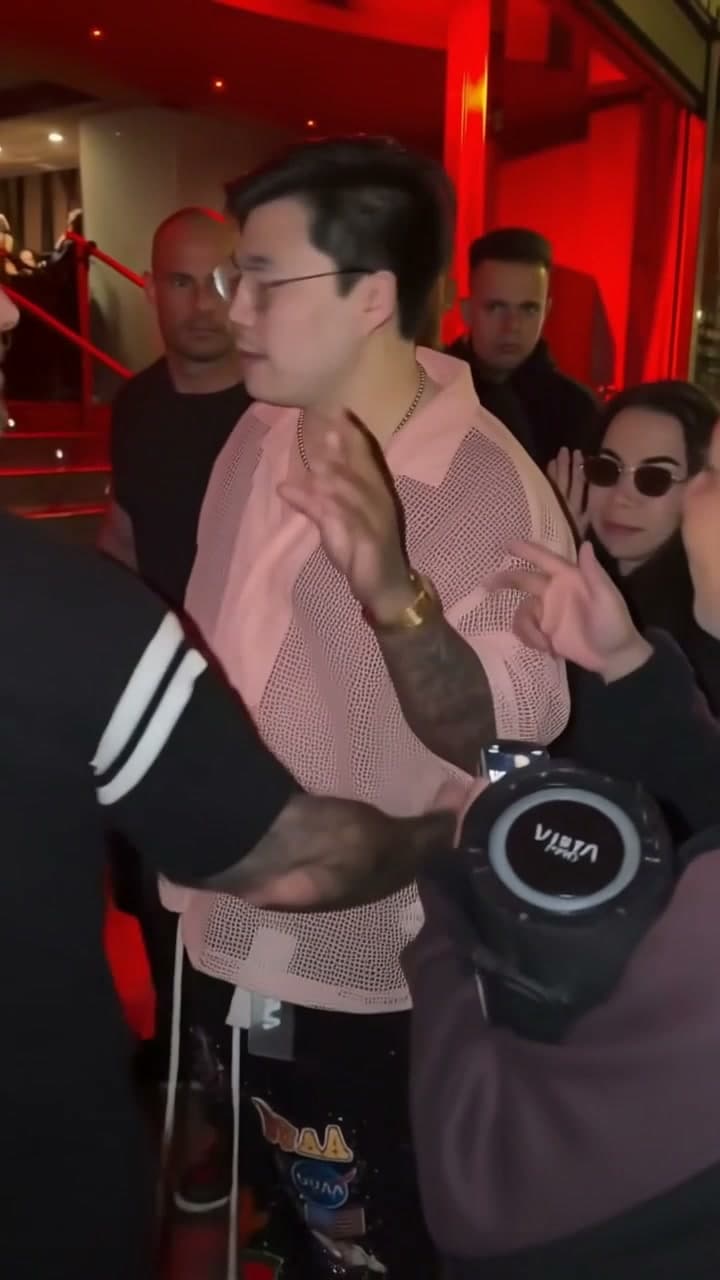
Built for a recurring account format
Creator format brief
Use this before generating so one post creates a clear next-post decision instead of another isolated clip.
- Viewer trigger
- A familiar person steps into a Bulin 47-inspired street performance.
- Series promise
- Use the same Bulin 47-inspired scene with a different everyday confidence moment in each caption.
- Opening line
- Me after [one small win] — stepping into a Bulin 47-inspired freestyle.
- Cover rule
- Keep the lead face visible and label the scene as AI-generated where required.
- Comment prompt
- Which small win deserves this much confidence?
- Next episode
- Choose a new caption premise from the replies; the Bulin 47 template keeps its prepared performance and original sound.
In this guide
The Bulin47 AI face swap template needs three different photos of one adult, not three people. Use a front view, a left-side view and a right-side view. The prepared street freestyle supplies the performance and original scene sound; your photos identify the lead performer.
This is a practical input guide. For the documented performance and the distinction between the original and remixes, read the Bulin 47 freestyle story.
Take three useful views of the same person
Start with a recent front-facing photo in even light. Keep the whole face in frame and use an image without a heavy beauty filter. Then take two additional photos showing the person's left and right sides. Read the uploader labels before assigning each file; a mirrored selfie can make the order confusing.
Use the same adult in all three images, preferably during the same session. A consistent hairstyle, lighting and appearance give the system fewer contradictions to resolve. Uploading a childhood photo, a current selfie and a filtered portrait together is a poor way to describe one identity.
Do not copy the same image into all three slots. A cropped copy still does not provide another view. Equally, a collage of three faces is not a substitute for three separate files. The scene's background people do not create extra replacement slots.
Check the photos before you spend credits
Open each image at a useful size and inspect the eyes, nose and mouth. Avoid a hand covering the face, sunglasses, motion blur and harsh shadows. If an image looks unclear before upload, enlarging it will not restore missing facial detail.
You do not need to photograph yourself on a street or holding a microphone. Those are scene elements. Concentrate on identifying the person clearly, and use only photos you are allowed to upload.
A good photo improves the input; it does not guarantee identical facial details in every generated frame. Hands passing across the face and fast turns remain useful places to inspect in the result.
Generate the Bulin47 video once
- Open the Bulin 47 template and watch the published example.
- Sign in and upload the front, left and right views in their labelled slots.
- Confirm permission and review the displayed total. The current template is 10 seconds, vertical 9:16, 720p and 200 site credits.
- Submit once, wait for the accepted task, and follow it in My videos.
This template has no free preview. The separate site trial applies only to eligible templates before the customer's first successful purchase; it is not a fresh allowance for each scene.
If your balance is too low, use the link to Pricing. Return with the same browser and account and check the saved inputs before submitting. Buying credits does not itself create the video. When a task is already pending, check that record before clicking Generate again.
Review the face, sound and ending
Watch the full result at normal speed, then revisit the fastest movement. Check that the lead remains recognisable, the face does not change unexpectedly, and the ending is usable. Listen as well: this template keeps the original scene audio. It does not compose a new song, clone your voice or accept replacement lyrics.
Download a successful result while it is available. New successful videos are retained for seven days; the expiry shown on your record is the relevant deadline. Save a local copy before editing a caption in another app.
For a simple first post, try a fictional small-win caption such as “Me after finally finishing that task.” Keep text away from the face. Label realistic AI edits appropriately when sharing, and do not present the clip as evidence that the person actually performed the original freestyle.
Check Bulin47 photo angles before paying
A useful Bulin47 AI face swap starts with three distinct views, not three copies of a favourite selfie. The three photos for Bulin 47 should show the same adult seen from the front, left and right. Keep hair, lighting and apparent age consistent so the references describe one identity. You do not need to imitate the street performance in your photos.
The Bulin 47 face swap cost is 200 site credits for the current 10-second template. Inspect each selected thumbnail before submitting; if an angle is wrong, replace it while the task is still a draft. Clear inputs help an AI face swap, but they cannot guarantee every facial detail in motion.
Common input questions
Can I make it with one photo?
Not with this template's current three-view contract. Choose a one-photo template if you only have one usable image rather than repeating it across three slots.
Does a poor likeness automatically refund credits?
A failed generation and a completed video with an unwanted artistic result are different outcomes. Check the task status and the site's refund explanation before ordering another version.
Is Bulin47 a different template from Bulin 47?
No. Both spellings refer to this same prepared freestyle template on AI Video Swap. The existing template link remains unchanged.
From your photo to a scene