Practical guide
How to cast a Gas Station Dance AI TikTok with two or three photos
Plan a friend-group dance episode, assign the opening, selfie and car-exit roles, and choose between the 800-credit three-photo and 350-credit two-photo modes.
In this guide
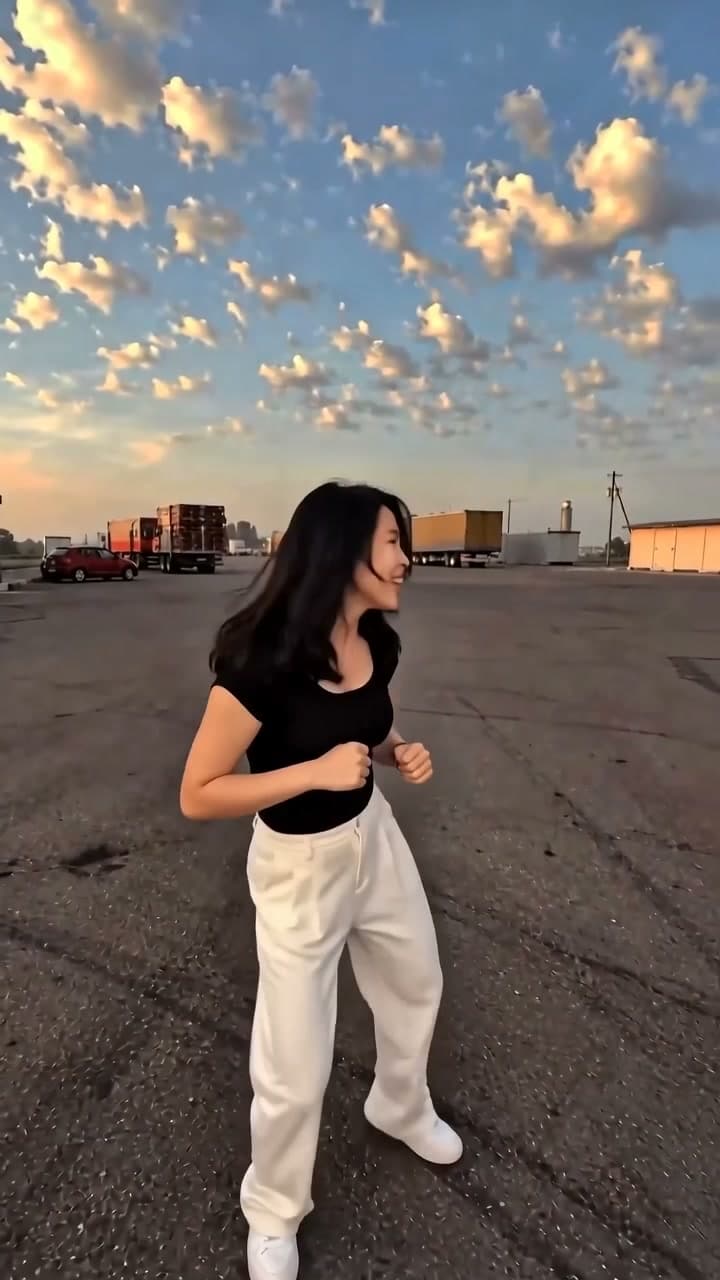
To make a Gas Station Dance AI TikTok, cast your friends into three distinct beats: the opening dancer, the selfie character and the person getting out of the car. The default three-photo mode replaces all three roles for 800 credits. The optional two-photo mode costs 350 credits and replaces only the first two roles; the car-exit character remains the fixed template person. Both produce an approximately 15-second, 720p, 9:16 video with the original scene audio.
Choose your cast on the Gas Station Dance AI template before deciding how to caption the episode.
Give each appearance a job in the joke
For a friendship or everyday-comedy account, the three shots can represent the friend who starts the fun, the friend who documents it and the friend who finally joins. A line such as “Every group has these three on a snack run” gives the sequence a meaning beyond seeing familiar faces dance.
The prepared video supplies the setting and actions. Your cast and caption supply the group dynamic. No filming at a petrol station or beside a moving car is needed.
Creator format brief
- Viewer trigger: Viewers recognise different personalities from their own friend group.
- Series promise: One recurring outing scene recast around a different everyday group situation.
- Opening line:
Every group has these three on [an ordinary outing]. - Cover rule: Pick a readable opening-dancer frame and name the outing in a few words.
- Comment prompt:
Are you the starter, the camera friend or the late arrival? - Next episode: Use the most recognisable group role in a new outing premise, keeping the selected replacement mode clear.
Pick the mode that matches your story
In default three-photo mode, upload photo 1 for the Opening dancer, photo 2 for the Selfie character and photo 3 for the Car-exit character. Choose this 800-credit option when the joke depends on identifying all three people as your own cast.
In optional two-photo mode, upload just the opening dancer and selfie character for 350 credits. The final car-exit person stays the fixed template actor. Two-photo mode is not a two-person-only video, and it does not remove or replace the third actor. Use a premise such as “Us making an ordinary stop dramatic” rather than labelling the ending person as your friend.
Use one clear human portrait per selected role, with an unobstructed face and even lighting. Group photos and sunglasses make the intended identity less clear. Obtain each person's permission; a car image cannot substitute for a portrait slot.
Generate, then package the sequence
- Sign in and select two-photo or three-photo mode. Match every portrait to its role label and confirm permission.
- Review the total: 350 credits for two-photo mode or 800 for three-photo mode. These are complete-video prices including the fixed scene input. The default is three-photo mode, so check the selection deliberately.
- Confirm sufficient balance and generate. There is no free generation preview for this template.
- Watch the complete sequence with its original audio. Check each selected replacement and, in two-photo mode, expect the third person to remain unchanged. Facial details and motion can vary.
The result is vertical 9:16 at 720p, approximately 15 seconds long. Use your posting editor for any short role labels; the template does not supply a custom caption-writing feature. Keep text clear of faces and TikTok controls. Use the AI-generated content label where required.
Develop a recurring friend-group series
Start with a snack run, a post-exam outing or a weekend meet-up. These are caption premises for the same scene, not requests for the generator to produce different locations. Keep one theme for a few episodes so viewers understand what your account delivers.
Look for comments where viewers identify their own group role or suggest a new outing. Use those specific suggestions to plan the next post. If viewers confuse who is being replaced, clarify the role labels or choose three-photo mode for a fully personalised cast. Repetition of the same joke alone is not a growth strategy; evaluate several fresh premises without assuming the format will deliver traffic.
Frequently asked questions
Does two-photo mode replace the third person?
No. It replaces the opening dancer and selfie character only. The car-exit role remains the fixed template person. Upload a third portrait in three-photo mode to replace that role too.
Is the lower price for a shorter clip?
No. Both options deliver the approximately 15-second scene. The difference is which roles are replaced: two for 350 credits, or three for 800.
Is 499 credits enough?
It covers the 350-credit two-photo option but not the 800-credit three-photo option. Check the selected total and current plans.
Do I need to find the song separately?
The download includes the source scene's original audio. No replacement soundtrack is needed to complete it.
Can I come back after generating?
After the upload is confirmed, use My videos in the original account. You can optionally confirm an email address for a completion notification. Successful videos remain available for seven days after completion; download before the displayed expiry.
Assign your roles and make the Gas Station Dance scene.
From your photo to a scene