Practical guide
Give It All AI: A Hanging-Mic Video From One Photo
Make the cinema-lobby hanging-microphone scene from one adult photo. One 10-second vertical video costs 350 site credits and keeps the scene soundtrack.
In this guide
One adult stands at a hanging microphone in a cinema lobby. The crowd stays behind them. The shot is one continuous vertical take of about 10 seconds, and the soundtrack belongs to that scene.
If that is the clip you want, start on the Give It All template. One photo of one adult supplies the face, hair and clothing. The microphone, the lobby and the crowd stay. One complete video costs 350 site credits. The video on that page is the selected external scene reference. It is not an AI Video Swap generation, and it is not a promise of likeness or picture quality. Generation is open. This scene has not had a separate paid generation test.
Watch the lobby before you spend credits
Open the Give It All template and play the preview with sound. You should see one person at a hanging microphone, a cinema lobby, and a crowd that stays in the background. The take does not cut away to a second setup.
The preview file comes from the selected Give It All scene reference. It runs for about 10 seconds and includes that scene’s audio. AI Video Swap did not generate it. Watching it is free and does not use credits. Use it to decide whether this lobby is the scene you want, not to judge how your own photo will look.
The output on the template page is a fixed 10-second vertical video at 720p, in a 9:16 frame. It is not a multi-minute performance and not a wide cinema trailer.
This is one person, not the duo or the three-angle rap
Give It All is one adult at one microphone. Two nearby scenes use the same kind of performance energy and are easy to mix up.
Hotel Lobby is a two-person scene. You choose one photo for each performer. It is not a one-photo version of Give It All, and Give It All is not a way to put a second person beside the hanging microphone.
Street freestyle asks for three photos of the same adult: front, left and right. That extra angle set is for a different prepared clip. Give It All does not accept a second or third photo.
If the idea depends on two recognisable people, or on three angles of one person, use the template that asks for those photos. Do not expect Give It All to invent the missing person or the missing angle.
The phrase “give it all” is wider than this effect
A United States TikTok Ads Keyword Planner export collected on 20 November 2026 estimated average monthly searches for “give it all” at 1,000–5,000, with a three-month change of +967%, a year-on-year change of +700%, competition marked High, and an estimated CPC of 0.15–0.15 USD. That is an advertising-planner range for the phrase. It is not a Google Search Console click count, and it is not a count of people looking for this AI video.
The same words also cover songs, captions and performances that have nothing to do with a cinema lobby. We use the dated export to explain why the scene name is worth a clear page, not to promise views. Other phrasings were not given a search range in that export, so this guide does not invent one for them.
Choose one adult photo
Give It All uses one photo. There is no second portrait, no pet slot and no video of your own to upload.
- Use one adult, waist-up or full body, with the face easy to see.
- Let the face, hair and the clothes you want in the scene appear in that photo. Those are what the template is meant to carry into the lobby.
- Prefer even light. Avoid heavy face filters, large sunglasses and anything covering the face.
- Do not use a group photo. A second person in the frame is not a second role.
- Do not use a child or a pet. This version is one adult only.
- Use a photo you have permission to use.
Upload JPEG, PNG or WebP, up to 10 MB, at least 300 × 300 pixels. Convert an iPhone HEIC photo to JPEG first.
The intended result takes the face, hair and clothing from your photo and leaves the microphone, lobby and crowd in place. Likeness and clothing can still vary. No paid generation of this scene is on file, so the external preview cannot prove how a new photo will look. Watch the whole 10 seconds of your own result before you share it.
How to make the video
- Play the preview with sound on the Give It All template. Confirm the lobby, the hanging microphone and the crowd are the scene you want.
- Choose one adult photo with the checklist above, and confirm you have permission to use it.
- Sign in to the account that should receive the video. The preview is public. Generating requires a signed-in account so the job and any credit charge stay with you.
- Read the quote beside Generate. One video costs 350 site credits. The page shows Kling 3.0 Omni, a 10-second clip and the original scene audio. Trust the quote on the page at the moment you submit.
- Generate once, then follow the job in My videos in the same account. Closing the tab is not a reason to press Generate again. If you are unsure the request was accepted, check the task list first.
- Watch the whole clip before sharing. Check the face at the microphone, the hair, the clothes, and that the crowd and the lobby did not turn into a second performer. Listen to the soundtrack as well.
You do not write a Give It All prompt. The template already fixes the scene. It does not offer a different song, custom lyrics, a voice clone, a second person, or a new location.
What 350 credits covers
One complete Give It All video costs 350 site credits, including the prepared scene and its soundtrack. Site credits are not US dollars. Confirm the amount shown beside Generate on the template page.
The current Acquisition plan is US$4.99 per month for 499 credits. At 350 credits, that covers one Give It All video with 149 credits left. A second video needs more credits. The plan is a recurring subscription, not a one-time US$4.99 purchase of this clip. Credits from an active or previously paid plan do not expire under the current terms. Cancel future renewals through Stripe’s billing tools. See the current plans before you subscribe. If you already have 350 credits, you do not need another plan just for this video.
A failed paid job returns its site credits automatically. A completed video whose look you dislike is not covered by that automatic return. Check the job in My videos before you send another request. A “Credits returned” label confirms a credit return. This is a site-credit policy, not a promise of an automatic cash refund. For billing questions, see the payment terms or email lina@aivideoswap.com with your receipt.
There is no free generated Give It All video. Watching the external preview does not use credits.
The soundtrack stays with the scene
The audio is the soundtrack from the selected scene. Give It All does not write a new track, does not upload your song, and does not clone a voice. If the joke depends on a lyric you have not heard, play the preview first. Do not write a caption around audio you have only imagined.
Permission to reuse music in your own posting is separate from playback on this site. The template restores the scene’s sound. It does not grant a new music licence.
Sources and limits
The preview is the external scene on Remake The Trend’s Give It All page, checked for this template on 20 November 2026. Creator counts and play counts on that page are not repeated here. Search figures are the United States TikTok Ads Keyword Planner export from the same day, for the phrase “give it all” only. AI Video Swap is not affiliated with that reference site or with any artist whose name happens to appear in the wider phrase.
Questions to settle before you generate
The scene
What is a Give It All AI video?
It is a fixed cinema-lobby scene: one adult at a hanging microphone, with the crowd staying behind them, for about 10 seconds. Your photo supplies the person. The lobby, microphone and crowd stay.
Is the preview on the template page your generated result?
No. It is the external scene reference. It does not prove likeness, clothing match or picture quality for a new photo.
Can I generate Give It All on AI Video Swap now?
Yes. Sign in and upload one adult photo. One video costs 350 site credits. The scene is open without a separate paid sample on file, so review your own result.
Is this the same as Hotel Lobby?
No. Hotel Lobby uses two photos, one for each performer. Give It All uses one photo of one adult.
Is this the street freestyle with three photos?
No. The street freestyle asks for front, left and right photos of the same adult. Give It All asks for one.
Photos
How many photos does Give It All use?
One. It should show one adult, waist-up or full body, with the face clearly visible.
Do the clothes come from my photo?
That is the intended transfer: face, hair and the clothing visible in the photo. Likeness and clothing can still vary, and this scene has not had a paid generation test.
Can I use two people or a pet?
No. A second person, a child or a pet is not part of this version.
What if my photo is a group, or the face is covered?
Do not use it. A group photo does not create extra roles, and sunglasses or a covered face remove the detail the scene needs.
Sound, length and price
How long is the video?
About 10 seconds, vertical 720p, in a 9:16 frame. The preview is slightly over 10 seconds because it is the source file. The generated clip is the fixed 10-second template.
Does the video keep the scene sound?
Yes. The soundtrack follows the selected scene. A new track is not made, and you cannot upload a replacement song here.
How much does it cost?
350 site credits for one complete video. Check the quote on the template page before you submit. With the US$4.99 Acquisition plan at 499 credits, one video leaves 149 credits.
Is there a free Give It All generation?
No. The preview is free to watch. Generating the template is not a free offer.
Will this search phrase guarantee views?
No. The planner range describes searches for the words “give it all”. It does not measure demand for this AI effect, and it does not promise reach.
From your photo to a scene
Try a scene from this guide
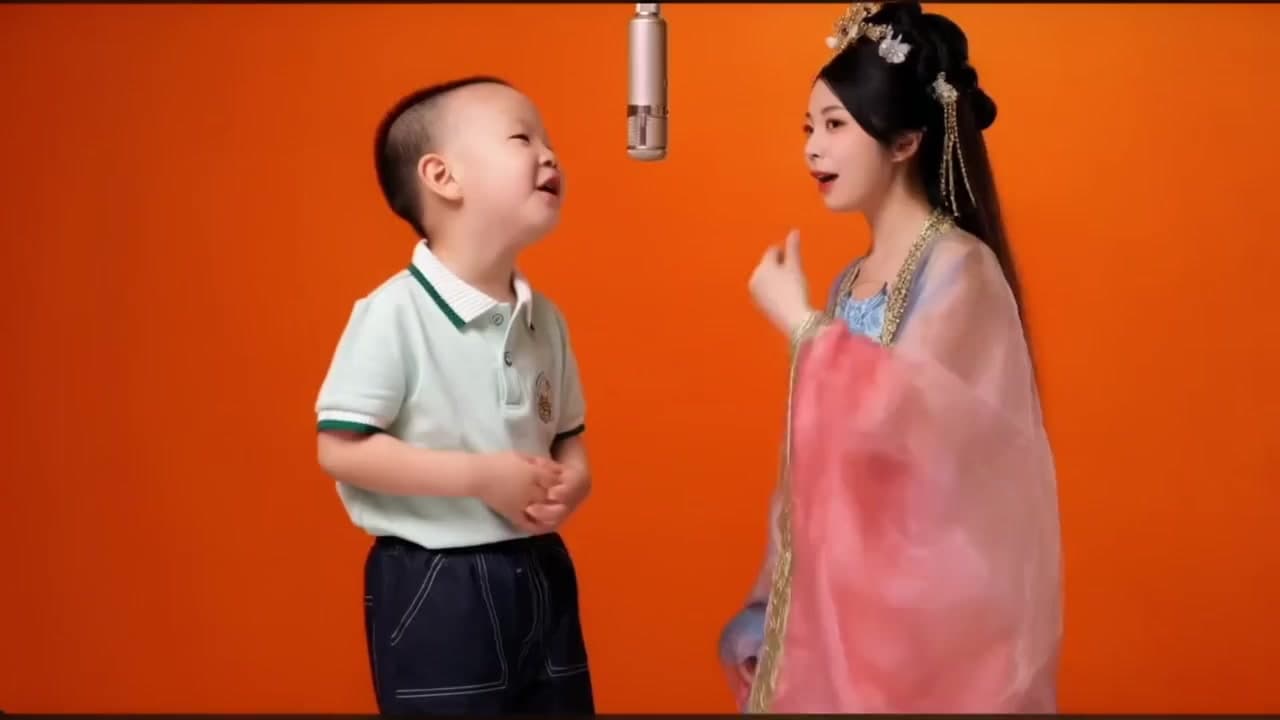
Hotel Lobby AI Template
Make a Hotel Lobby AI rap video from two portraits in the orange hanging-microphone scene. Choose one photo for each performer.
View the template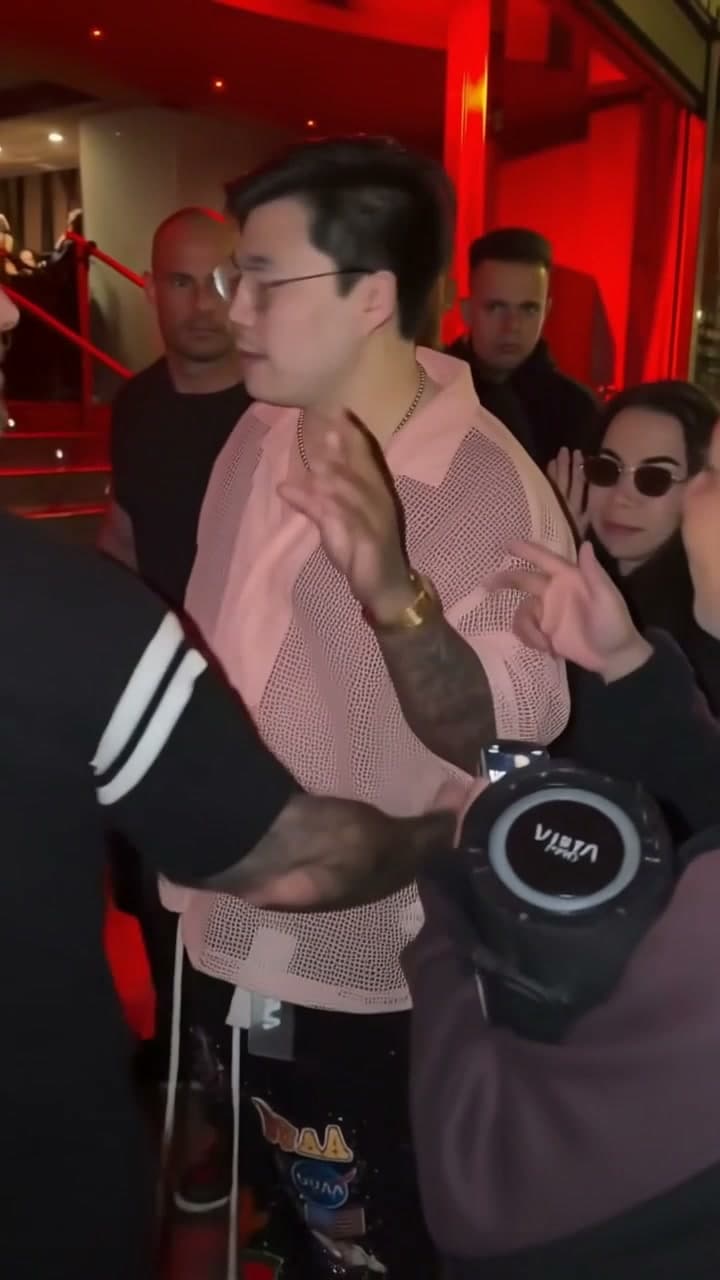
Bulin 47
Create a Bulin 47 (Bulin47) AI face swap in the prepared street freestyle. Add front, left and right photos of the same adult for a 10-second video with original sound.
View the template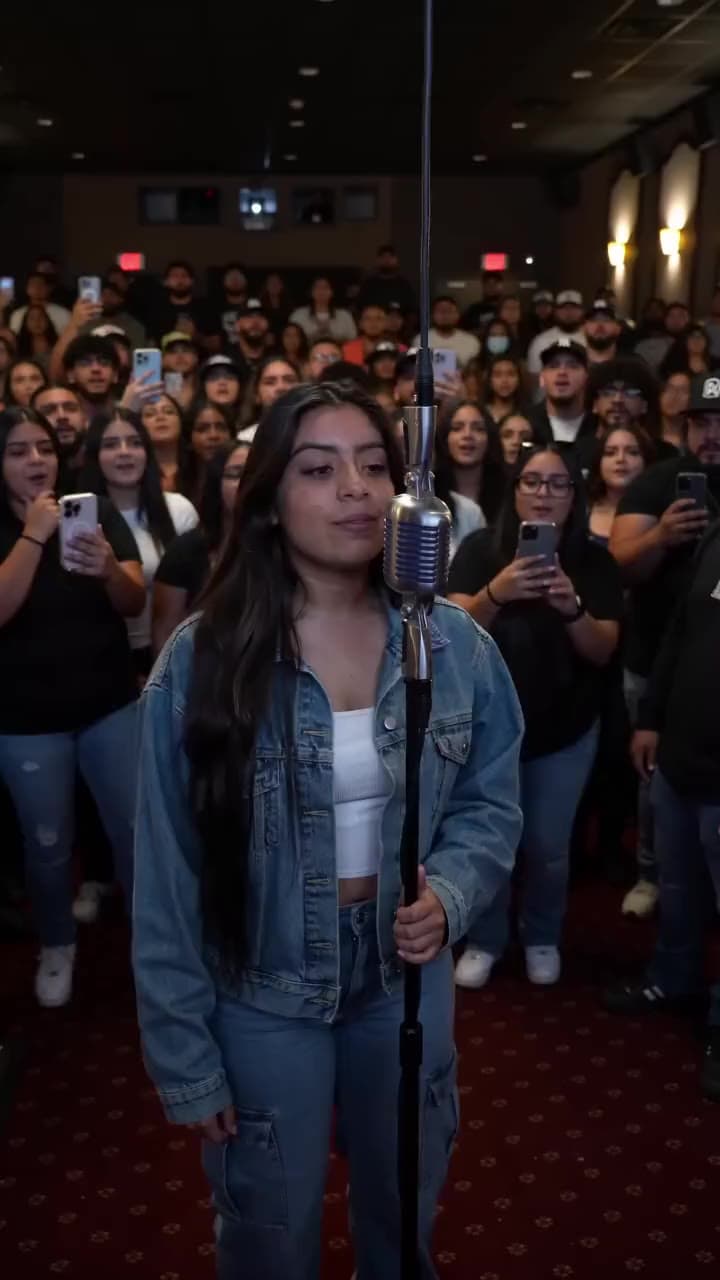
Give It All AI
One adult photo becomes the person at a hanging microphone in a cinema lobby. The microphone, lobby, crowd and soundtrack stay with the scene.
View the template