Practical guide
Passenger Princess AI Video From Two Photos
Use two adult photos to make a ten-second vertical Passenger Princess video with the original soundtrack for 200 site credits.
In this guide
The scene
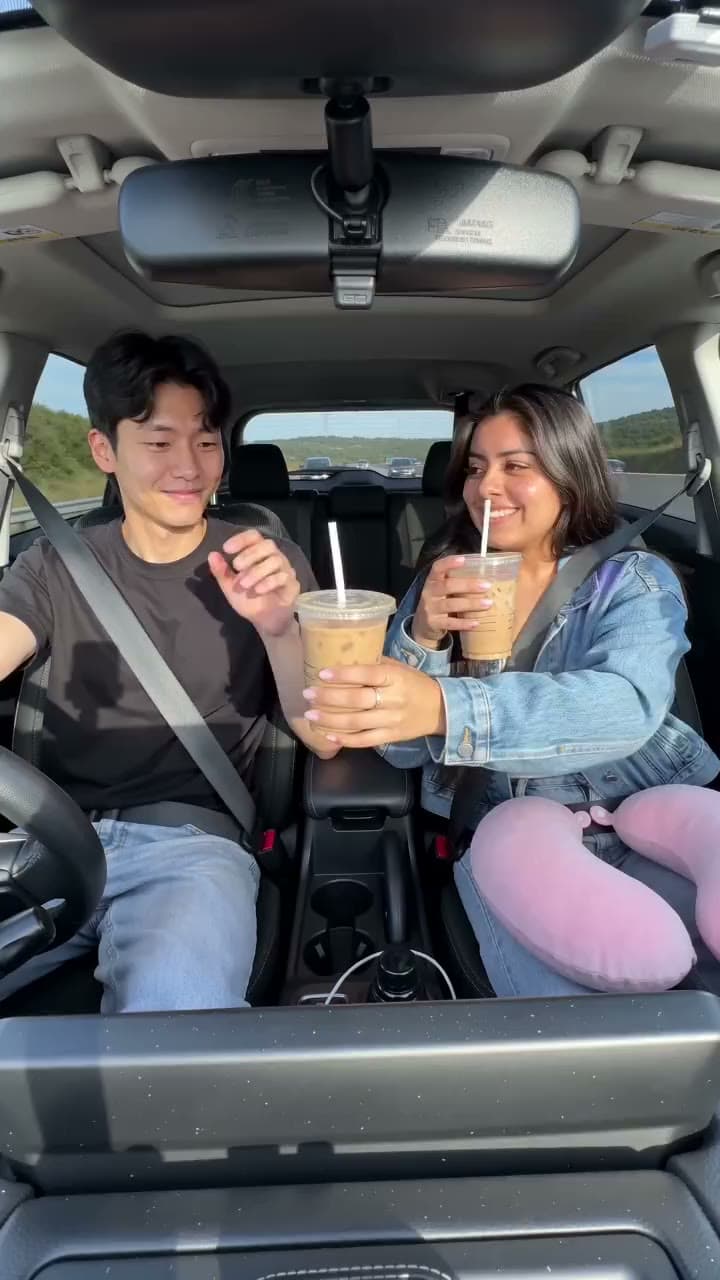
The dashboard camera frames two adults in the front seats. The passenger settles in with an iced coffee, a neck pillow and a blanket while the driver watches the road.
What you supply
Choose two separate, clearly lit, waist-up photos of different adults. Put the passenger first and the driver second. Use photos you have permission to share.
What stays fixed
The dashboard view, seats and props stay with the scene. The selected soundtrack includes road and ice sounds. The public clip is a third-party scene reference.
Price and length
Sign in to generate a 10-second, 9:16 video at 720p with Kling 3.0 Omni. One video costs 200 site credits. This template opened without a separate paid test.
What this is not
The two photo slots correspond to the passenger and driver. The public reference shows the camera angle, timing and soundtrack you can expect for the fixed scene.
A United States TikTok Ads Keyword Planner check on 2026-11-20, with “passenger princess” as the seed, showed average monthly searches of 10,000–25,000, a three-month change of −36%, a year-on-year change of −61%, competition marked High, and an estimated CPC of US$0.06–0.07. That is an advertising-planner range. It is not a Google click count and it is not a count of completed videos.
Questions
Which photo goes first?
The passenger goes in the first slot and the driver goes in the second.
Does the video keep the original audio?
Yes. It uses the selected scene’s original soundtrack.
How much does one video cost?
One 10-second video costs 200 site credits.
From your photo to a scene