Practical guide
Pick It Up AI Dance: Photo Planning, Movement and the Jump
Understand the Pick It Up, Make It Jump reference, choose a full-body photo and inspect the landing. See what is available before spending credits.
In this guide
Pick It Up, Make It Jump is useful to recognise as a movement sequence, not just a catchy phrase: arms rise, the dancer lowers their body, and the jump provides the release. The reference selected here uses a brick plaza and a full-body composition. That makes the feet, hands and silhouette as important as the face.
Watch the Pick It Up Dance reference before choosing a photograph. This is an externally sourced demonstration, published with a source credit. It is not a generated AI Video Swap customer result. Generation is now available with one adult full-body photo: a fixed 14-second, vertical 720p video costs 280 credits and retains the scene soundtrack. This newly enabled workflow has not had a paid end-to-end generation test; the external preview is a scene reference, not proof of our output quality.
Why Pick It Up is a useful subject now
A TikTok Ads US keyword snapshot collected on 10 November 2026 estimated 25,000–50,000 searches for “pick it up make it jump” and 1,000–5,000 for “pick it up dance”, with positive three-month changes. Those figures describe that tool’s estimates for those terms. They do not count people looking for an AI generator, do not establish Google search volume and do not reveal what users type into ChatGPT.
The useful editorial conclusion is narrower: the wording is recognisable enough to explain the movement clearly. People can arrive with very different intentions—learning the actual dance, finding the song, identifying a clip, or making an AI version. An AI dance video tutorial should state which of those tasks it solves before asking for an upload.
Read the dance in three beats
First, watch the overhead hand raise. It establishes the body's outline and gives a caption a moment to land. Next, notice the change in height as the dancer lowers into the movement. Finally, look at the jump and landing. A remake that looks convincing only in the opening pose has not necessarily preserved the dance.
For a photo-based version, keep the complete person in the composition. Tight face crops are useful for identity in some tools, but they do not communicate shoes, trouser shape or the hem of a long garment. Avoid choosing an image with crossed legs or another person cutting across the body if the intended result depends on a readable lower-body silhouette.
Plan a one-photo brief without inventing controls
A useful creative brief is: “One adult, full body visible, a clear face, and an outfit whose shape remains readable during an arm raise and jump.” This describes the desired input and result. Upload that photo on the template page after signing in. The site supplies the dance reference and creates a close crop from the same photo; you do not need to upload a second picture. ChatGPT can help plan the caption, but it does not submit this website’s generation job.
Our form accepts one adult photo and follows this fixed dance; it does not offer custom choreography or a new background. The 13.79-second reference is prepared as a 14-second source, with a short final-frame hold so the landing is retained. Confirm the 280-credit total before submitting. With 500 credits, one result leaves 220; two attempts would require 560 credits.
Make the caption work with the jump
Try a premise that changes meaning when the dancer jumps: “Me after finally sending that email” or “The meeting ended five minutes early.” Keep the first phrase visible during the opening movement and allow the action to supply the punchline. Do not add so much text that the feet disappear behind it.
For a quieter version, use the clip as a contrast: a formal outfit paired with exaggerated confidence. The joke then comes from personality rather than a complicated caption. If you are making an advertisement, keep the product claim outside the generated action unless you can verify what is shown; a generated garment or object can change appearance.
Review more than the cover frame
Check the overhead hands, the lowest body position, and the landing at normal speed. Then pause at those moments. Look for extra fingers, unstable shoes, a face that changes on the turn, a garment that opens unexpectedly, or a jump that loses contact with the ground. Review audio independently: this reference includes a soundtrack, but the presence of a track does not establish permission to reuse it in every commercial placement.
A sensible second attempt changes one input problem at a time. If the face is hidden in the photo, replace that photo. If the dance itself is wrong, changing the caption will not fix it. Save the job ID before asking support about a failed generation, and distinguish a technical failure from an output that needs creative revision.
Alternatives you can create on AI Video Swap today
For a full-body dance using one adult photo, compare Toc Toc Dance. Its current form accepts one full-body photo and creates a 10-second video for 200 credits. The displayed historical example used two photos, so it is not a guarantee of identical results from the current one-photo flow.
For a closer street-dance lead with the face and outfit visible, compare Charme Dance. It currently uses one photo, with an automatic close crop, for a 10-second, 200-credit video. Neither option reproduces the Pick It Up choreography. Choose them because their actual scenes fit your idea, not because their availability makes them interchangeable with this reference.
Source and method
The scene reference comes from EasyVideoAI’s Pick It Up Dance page. Keyword observations come from a dated US export in TikTok Ads Keyword Insights. The questions below are our predictions of customer needs, not a list of measured ChatGPT searches. Sources and availability were checked for this edition on 10 November 2026.
The face is right at the start—what about the landing?
A public Reddit discussion about Kling dance identity drift describes precisely that frustration: the opening looks right, but facial identity changes later in a longer dance. Another motion-control discussion asks about reference preparation and changes in facial structure. These are individual reports, not a measured failure rate or proof that any suggested fix works.
A 1 November X post about Pick It Up from one photo shows how creators describe the idea: your face, your outfit, the original moves. That is useful vocabulary for a photo-to-dance video brief, but the post promotes a different service and a 12-second option. Our fixed option is 14 seconds. Do not copy another tool’s duration or promise into your purchase decision.
Think of the result as three checkpoints: introduction, overhead arms, landing. If the person stops looking like you halfway through, a sharper cover image does not solve the clip. Compare those moments with your photo before posting. To prepare, ask ChatGPT: “Make me a three-checkpoint review for an AI dance video where the face changes during a jump. Separate photo-preparation advice from problems that require a new render.”
Three caption experiments for the same dance
For a tiny everyday victory, try “When the spreadsheet finally balances.” For a Friday post, try “Me logging off with absolutely no follow-up questions.” For an outfit reveal, let the clothes remain the subject: “This outfit needed an entrance.” These are creative examples, not captions observed to outperform others.
A useful Pick It Up AI dance prompt for planning is: “Give me five captions under eight words for a full-body plaza dance with a jump. Keep text above the feet and avoid claiming I performed a real stunt.” A second is: “Help me choose between two full-body photos for a vertical dance video; describe face visibility, hands, shoes and clothing contrast without promising perfect identity.” A third is: “I have 500 credits. Compare a 280-credit Pick It Up video plus a 160-credit Desk Concert clip with two 200-credit dances. Explain the remaining balance.”
These prompts help with the brief, review and budget; they are not text inputs accepted by this fixed-scene generator.
Questions to settle before choosing a tool
The scene and its availability
What is the Pick It Up, Make It Jump dance?
The reference is a full-body plaza dance built around an arm raise, a lowering movement and a jump. Watch the whole sequence to distinguish it from other clips using similar lyrics.
How can I make a Pick It Up AI dance video?
Open the Pick It Up template, sign in, upload one clear full-body adult photo and confirm consent. Review the fixed 14-second, 280-credit quote, submit once and follow the job in My videos.
Can I generate Pick It Up on this page now?
Yes. The dedicated template accepts generation jobs for one adult photo at 280 credits for 14 seconds. No paid generation test has been performed for this newly enabled scene, and the preview is externally sourced.
Is this Pick It Up sample made by AI Video Swap?
No. It is the external reference credited to EasyVideoAI. It must not be treated as evidence of our output quality or a customer success receipt.
What photo should I prepare for a Pick It Up remake?
Use one clear full-body photograph of a consenting adult. Keep the face, hands, clothing outline and shoes visible. The template automatically derives its closer identity crop from that same file.
Can I use only a headshot for the Pick It Up dance?
A headshot lacks clothing and lower-body information. It may fit some identity workflows, but it is a weaker brief when the goal is to preserve a complete outfit through a jump.
Photos and performance controls
Should my feet be visible in the Pick It Up photo?
Yes for the full-body brief discussed here. Shoes and stance help communicate the desired silhouette; do not crop them out merely to enlarge the face.
Can I put two people in the Pick It Up reference?
The selected reference is a solo scene. Adding a second person is a different creative and technical contract, not a capability established by this preview.
Does Pick It Up support a dog or cat photo?
No pet support is established for this reference. Animal dance trends require their own tested workflow; a human dance preview cannot establish that capability.
Do I have to film myself doing Pick It Up?
No. Upload one photo; this template supplies the motion reference. You do not need to record a dance, upload a source video or make a second face crop.
What should I ask ChatGPT about the Pick It Up trend?
Ask it to help compare full-body photo choices, explain the three movement beats or write a short caption. Those planning requests do not create a job on this website.
What is a useful Pick It Up caption prompt?
Try: “Write three short captions for a dance that goes from calm to a jump; the premise is finishing a stressful task.” Then choose wording that fits before the jump without covering the body.
Creative brief, length and price
How long is the Pick It Up reference video?
The public reference is about 13.79 seconds. The paid output option is fixed at 14 seconds, including a short final-frame hold, at vertical 720p.
How many credits will a Pick It Up video cost?
One 14-second video costs 280 credits. This is the complete fixed option; there is no shorter Pick It Up price selector.
Is Pick It Up a free AI dance generator?
No. Reference viewing is free, but this template’s generation costs 280 credits and has no free preview. The site-wide pre-purchase trial applies only to specifically eligible scenes.
Will the Pick It Up video keep my clothes exactly?
No exact-clothing guarantee follows from a reference. Jumps, hands over garments and fast turns can change fine details; review the generated output before sharing.
Can I change the Pick It Up background?
No. This fixed template keeps the brick plaza, camera and choreography. Use the photo to provide the person and visible outfit, not a replacement location.
Does the Pick It Up reference include music?
The file displayed here includes an audio stream. Check playback yourself, and separately check rights and platform rules for any soundtrack you intend to distribute.
Review, publishing and alternatives
How do I check a Pick It Up result for mistakes?
Watch the raised hands, lowered pose and landing. Pause to inspect fingers, shoes, face stability and garment shape, then replay at normal speed to assess rhythm.
Why might a Pick It Up face look different during the jump?
Motion, small facial detail, occlusion and a weak photo reference can all affect likeness. A sharp opening frame does not establish consistency through the full movement.
Can I post a Pick It Up AI clip on TikTok?
Review the result, permissions, soundtrack and TikTok’s current AI-content rules first. A successful download is not an automatic licence or guarantee of distribution.
Is Pick It Up growing in search interest?
The cited 10 November US TikTok Ads snapshot showed growth for the two terms discussed above. It does not establish today’s global rank or the popularity of AI-specific requests.
Will a Pick It Up remake go viral?
No result is guaranteed. Measure your own audience’s retention and response; a rising query is a reason to investigate a format, not a promise of reach.
Which available template is closest to my Pick It Up idea?
Compare Toc Toc for full-body movement and Charme for a street-dance lead. Watch both before choosing: their choreography, framing and inputs differ from Pick It Up.
From your photo to a scene
Try a scene from this guide
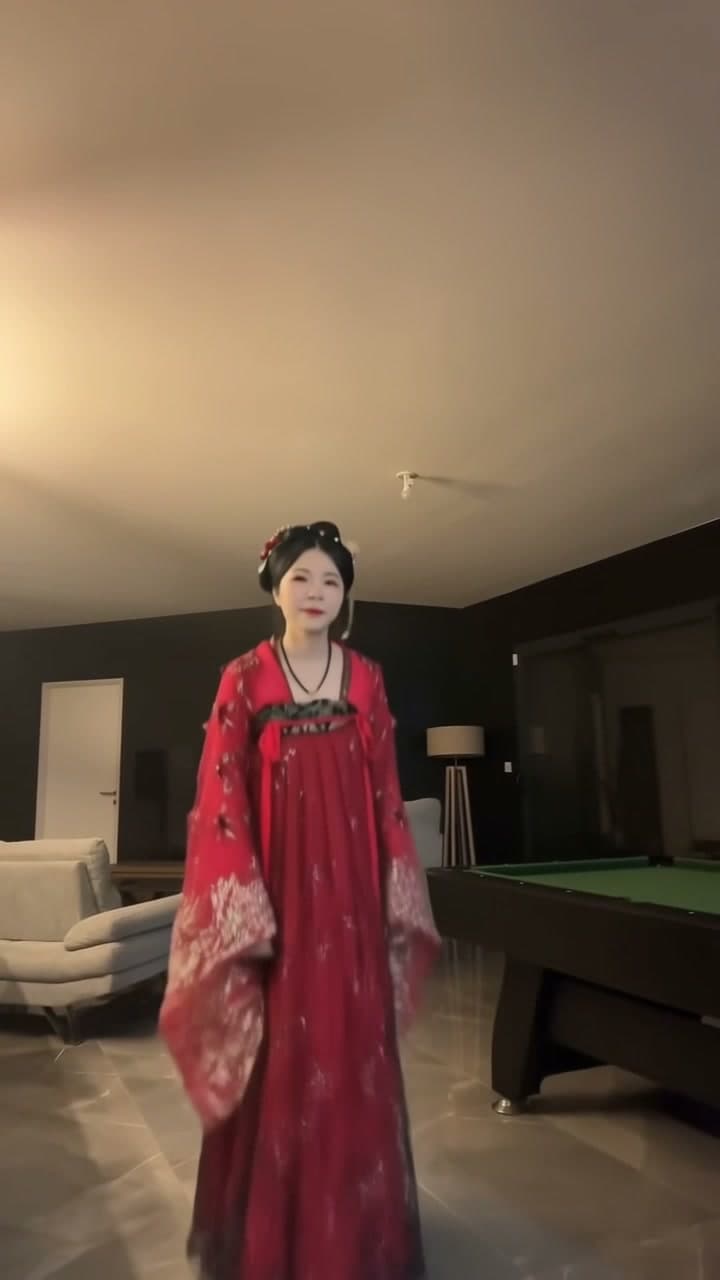
Toc Toc Dance AI
Step into the Toc Toc dance with your own look. Upload one full-body photo of yourself for a 10-second dance video with the original sound.
View the template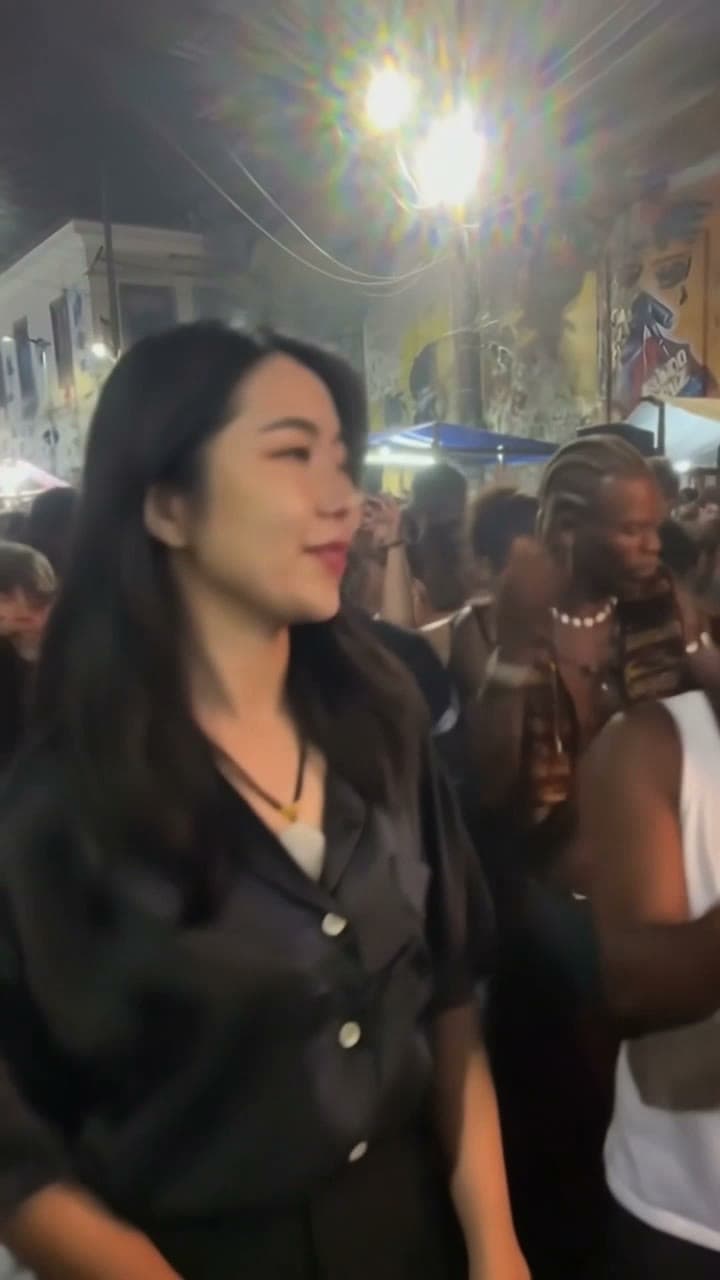
Charme Dance AI
Put one adult into the baile charme street dance. Upload one photo; the prepared clip supplies the dance and the original sound.
View the template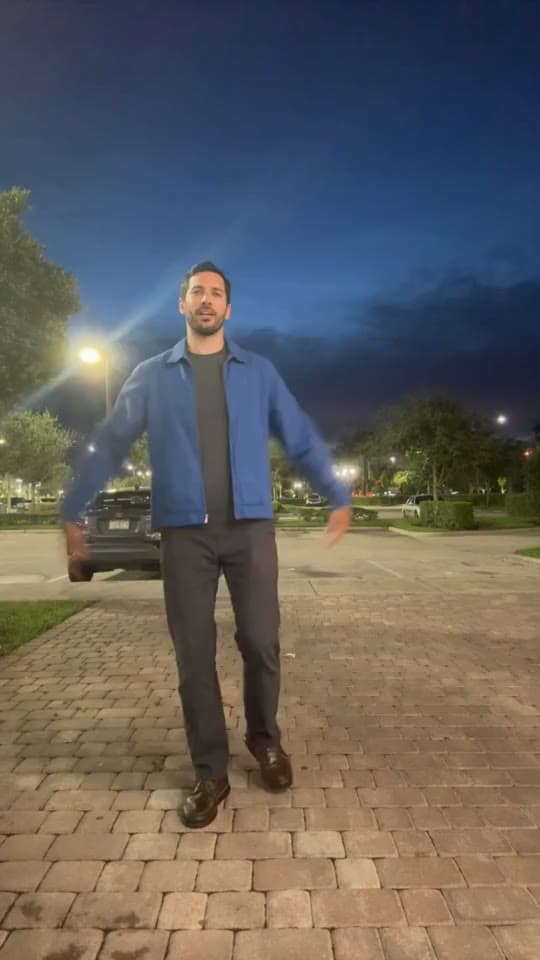
Pick It Up Dance AI
Turn one full-body photo into the plaza dance: arms up, drop low, jump.
View the template