Practical guide
How to make a Raindance AI TikTok story with two photos
Plan a sunset music-video story for two people: choose the singer and companion, frame a relatable moment and turn audience prompts into your next TikTok.
In this guide
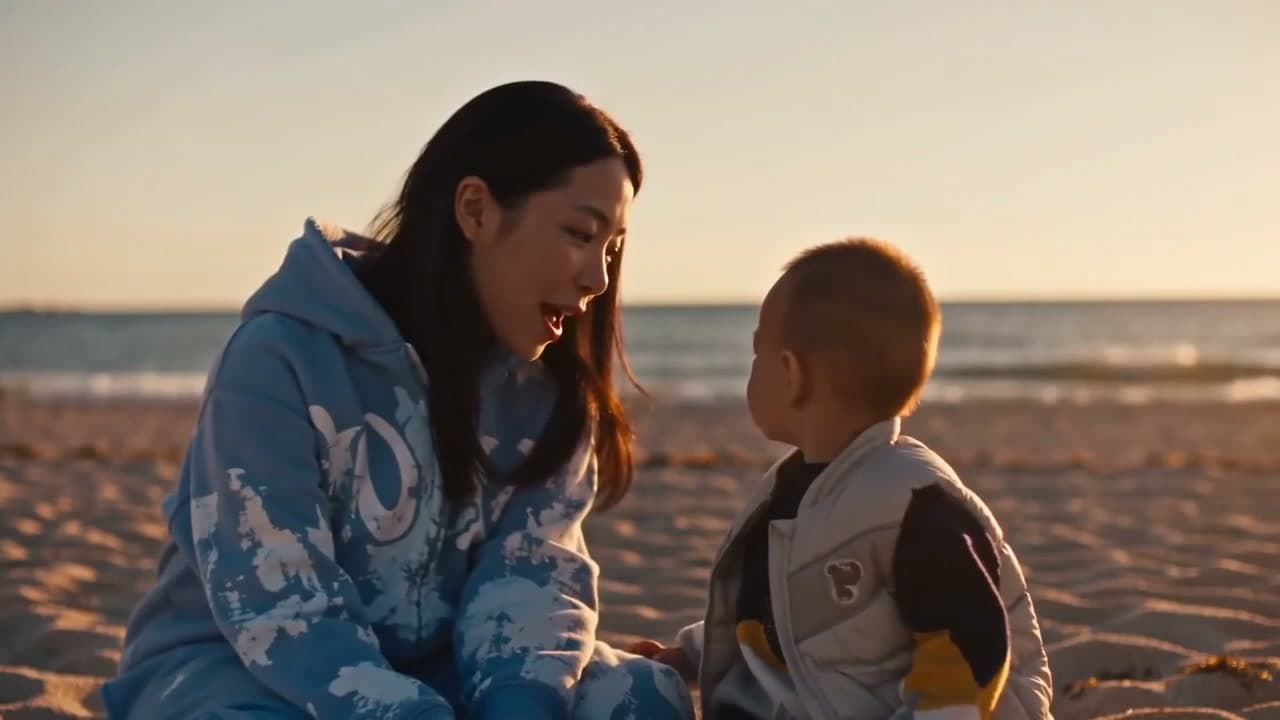
To make a Raindance AI TikTok story, choose two people and a reason their reunion matters. The template puts the first portrait in the singer role and the second in the pier-companion role, then brings them together on a sunset beach. It creates a fixed 10-second, 720p, 16:9 video with the original scene audio for 500 credits. You supply two separate portraits; the pier, beach and performance are provided.
Start with the Raindance AI template to see the scene and assign the two roles before planning your post.
Which account idea fits this scene?
This format suits an account about friendship, relationships or family moments when the audience can recognise a shared feeling. The scene itself does not explain who the people are to each other. Your caption supplies that missing context: a long-distance friendship, the person who supported a small achievement, or an imagined reunion after a busy week.
Keep it clear when the scene is fictional. A useful starting line is “If our weekly catch-up had a music-video budget.” That gives viewers a reason to connect the two portraits without suggesting that either person actually filmed a performance on a beach.
Creator format brief
- Viewer trigger: A familiar relationship receives a cinematic sunset treatment.
- Series promise: One recognisable music-video scene for a different shared moment in each episode.
- Opening line:
If [our ordinary shared moment] had a music-video budget. - Cover rule: Choose a beach frame with both faces visible and a short relationship cue.
- Comment prompt:
Which ordinary moment deserves the next music-video version? - Next episode: Use a specific shared-moment suggestion, keeping the relationship theme consistent.
Choose portraits for the story, then assign roles
Photo 1 is the singer in the close-ups and the person on the left in the beach scene. Photo 2 is the person sitting on the pier at the start and on the right on the beach. Cast the person whose perspective the caption uses as the singer; cast their companion second.
Use one person per photo, clear faces and even lighting. Avoid sunglasses, group shots and heavy filters. Showing more of the companion's outfit can help guide appearance, but clothing and facial details can still vary. You do not need a beach photograph or a performance video. Use authorised portraits and permission appropriate to both people, including a guardian's permission where applicable.
Make and package one episode
- Sign in to the account you will use to collect the result. Upload the two portraits in the labelled order and confirm photo permission.
- Check the fixed 10-second length, 720p landscape format and 500-credit total. You need sufficient credits; this template has no free generation preview.
- Generate and review both identities across the pier and beach shots, plus the original audio. The public example illustrates the look; framing, expressions and cuts may differ in your result.
- In your posting editor, add a short premise if needed. For a vertical TikTok canvas, try placing the landscape clip inside it with text above or below. Inspect both faces before choosing a tighter crop.
The download already includes the matching source segment's original audio. No additional soundtrack is required to finish the video. Label realistic AI content according to TikTok's current requirements.
Decide what to post next
Try three premises within the same account theme: a catch-up, a thank-you and an imagined reunion. These are editorial ideas, not extra actions the generator will perform. Keep the two role assignments consistent while you learn whether viewers recognise the relationship.
Review the comments for specific memories and next-story suggestions. Where analytics are available, compare watch time and shares across posts of similar length; a single post cannot establish a reliable growth pattern. If viewers ask who the people are, clarify the relationship earlier next time. If they supply their own situations, use those as the next caption brief. No format guarantees reach.
Frequently asked questions
Is this a rain effect or a dance I have to film?
This version is the sunset pier-and-beach music-video scene. The template provides the performance; you upload two portraits.
Can one couple photo replace both people?
Use two separate portraits, one per role. A group photo is not a substitute for the two identity slots.
Can I make a vertical version?
The template outputs 16:9. You can place that clip in a vertical posting layout; check both people before cropping. It does not generate a native 9:16 version through this template.
Is 499 credits enough?
No. One complete video costs 500 credits, including the fixed scene input. Check your available balance and current plans before submitting.
Can I leave and download later?
After the upload is confirmed, return to My videos in the original account. You can enable an optional completion notification and confirm its email address. Successful outputs are retained for seven days after completion; download before the expiry shown with your result.
Choose your two roles and make the Raindance scene.
From your photo to a scene