Practical guide
How to make a Phone on Train TikTok series
Build a safe, repeatable cinematic TikTok format from one full-body photo, using the Phone on Train scene also listed as Training Season Train Challenge.
Built for a recurring account format
Creator format brief
Use this before generating so one post creates a clear next-post decision instead of another isolated clip.
- Viewer trigger
- A viewer recognises an imagined cinematic message or farewell moment.
- Series promise
- A safe generated train scene carries a different fictional message in each episode.
- Opening line
- The message I would send when [imagined moment].
- Cover rule
- Show the face and phone clearly; do not frame the scene as a real platform activity.
- Comment prompt
- What message should the next character carry?
- Next episode
- Choose the strongest story prompt for the next safe, fictional scene.
In this guide
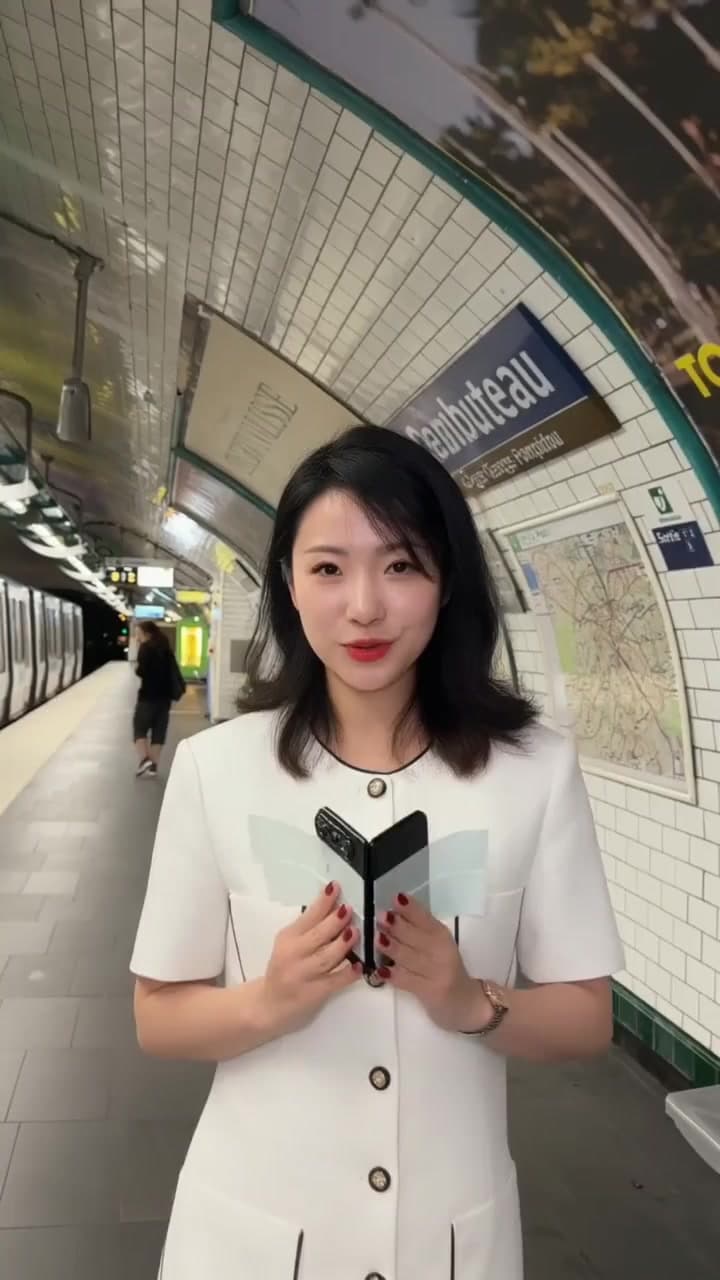
The Phone on Train AI video is the platform scene where one person presses a phone toward a train window, then turns away. It is also listed as Training Season Train Challenge. For a TikTok creator, it can become a repeatable cinematic-story format: change the imagined message or farewell premise while keeping the same safe, recognisable scene. Upload one clear full-body photo with the face and legs visible. The template supplies the platform, train, phone action and camera movement; you do not need to visit a station or film near a real train.
Is this the version I mean?
Searchers may use “phone on train,” “train window phone video” or “Training Season train challenge.” This page uses Phone on Train as the visual name and the latter as an alias. It does not promise that a train will depart or that a person should chase one.
What you need
- One full-body photo of one person, with face and legs visible and permission to use it.
- A clear, ordinary background is fine; a station, carriage or phone prop is not required.
- Permission to make and publish the likeness edit.
A tight selfie is not the intended input because the action needs body information. Clothing and small body details can change in a generated result, so inspect the output before sharing.
How to make it
- Open the Phone on Train template and confirm the current input labels.
- Upload one full-body portrait. Keep the face and legs visible and avoid a group photo.
- Start with the current 10-second example. The template supports up to 15 seconds at 20 credits per second, but the published render evidence is 10 seconds; confirm the live duration and charge before submitting.
- Watch the phone introduction, window contact, turn-away movement and ending at normal speed.
An available longer option gives the scene more room for its three beats; it does not establish a chase or guarantee that the train moves. Full generation requires sign-in and sufficient credits. The live template page is the current source of truth.
Turn it into a repeatable TikTok series
Make the account promise about imagined cinematic moments, not a real platform stunt. The recurring structure can be: “A message I would send at the exact wrong moment.” The safe AI scene stays familiar; the audience gets a fresh story prompt each time.
Use fictional or clearly personal-but-non-sensitive premises:
- A note to a former version of yourself, framed as a creative prompt rather than a real event.
- A hobby, study or work milestone that feels like a scene from a film.
- A comment-led prompt asking viewers what message the next character should carry.
Put the premise in the opening line and use a cover where the face and phone are both readable. Never encourage viewers to recreate the action near a real train, attach anything to a train or film on a platform for the format.
Use each post as an operating brief
Choose the imagined message, target portrait, opening line, cover and comment prompt before you generate. After posting, capture the story prompts that viewers repeat or build on. Those prompts are a safer, more durable episode backlog than chasing a one-off challenge name.
What to check before publishing
Check the phone and fingers near the window, the body's silhouette and the final movement. Use a cover where the face and phone are both readable. Describe it as an AI-generated scene and do not recreate the action beside a real train or platform.
Follow the destination's AI-content disclosure rules and confirm likeness permission. Reference footage, audio rights and photo consent are separate publication checks.
Frequently asked questions
Can I use a tight selfie?
Use a full-body photo with face and legs visible. A tight headshot does not provide enough body information for this action.
Does 15 seconds guarantee a chase?
No. A longer option only gives the phone action and turn-away more room. It is not a promise that the train departs or that a chase appears.
Is Training Season the verified soundtrack?
The supplied research does not establish a verified soundtrack attribution. Check the finished output and name only audio you can confirm.
Can this support a long-term TikTok account?
It can support a coherent cinematic series when each post gives a new safe story premise and clear reason to comment. It cannot guarantee traffic, and the account should never present the generated scene as a real train activity.
Create the visual safely with the Phone on Train template.
From your photo to a scene