Practical guide
How to Make AI Dance Videos: Choose the Right Photo Template
Compare Toc Toc, Charme and Peggy Mitchell AI dance templates. Learn which photo to upload, what the scene controls and how to review a 200-credit video.
In this guide
To make an AI dance video from a photo, choose a scene whose required input you can actually supply. On AI Video Swap, Toc Toc needs one full-body adult photo; Charme needs one adult photo with the face and outfit visible; Peggy Mitchell uses one clear portrait for the central dancer.
These three prepared templates currently produce about 10 seconds of video for 200 site credits each, with their original scene sound. They do not offer free previews. Check the selected page before generating because a similar-looking dance template may have a different contract.
Choose the dance before choosing the picture
Watch the sample all the way through. Look at the camera movement, how much of the body is visible, and where hands cross the face. Your input supplies the identity or appearance required by the template; the prepared scene supplies the dance.
Choose Toc Toc when you have a clear full-body photo and want that dance format. Keep the complete outfit, lower garment and shoes visible. A headshot does not meet this template's guidance.
Choose Charme for the prepared baile charme street-dance scene. Upload one photo of one adult with the face and intended outfit visible. The site makes the close crop from the same image; you do not need to invent a second input.
Choose Peggy Mitchell for the night courtyard scene and its central lead dancer. The DJ and other background elements remain part of the prepared scene, not additional replacement roles.
Avoid three common photo mistakes
First, do not use a group image for a single-person slot. Second, do not assume every template accepts a cropped selfie: the full-body requirement matters for Toc Toc. Third, avoid a heavily retouched face that differs from the person's normal appearance.
Inspect the face, clothing edges and any visible hands before upload. Use an image with permission and enough clarity to judge the result. A larger file does not necessarily mean a sharper face, and no input guarantees perfect movement in every frame.
You do not need to record yourself performing the choreography. Uploading a second video is not part of these three template workflows.
Generate from the template, not from a guess
- Open the chosen template and confirm its photo guidance.
- Sign in, upload the required image and review the visible thumbnail.
- Confirm permission and the displayed 200-credit total, then submit once.
- Track the accepted job in My videos, watch it and download the successful result.
If the balance is insufficient, use Pricing and return to the same browser and account. Review the draft before submitting; buying credits is separate from creating the video.
The site's one-time eligible-template trial is only available before a customer's first successful purchase. It does not make every dance template free, and it does not apply to these three scenes.
Review feet, hands and the face in motion
A still frame is not enough. Watch the full clip at normal speed and revisit a turn, a hand crossing the face and the final pose. Check whether the person stays recognisable and whether the clothes and body movement remain plausible.
An AI video can contain visual artefacts even when the task completed successfully. If the system reports a failure, review the refund status. If the result completed but you dislike the artistic outcome, do not assume it is covered by the same rule.
Make the post readable on a phone
Keep the face and main movement clear of large caption blocks. Choose one short opening line, such as a small victory or fictional main-character moment, rather than listing many unrelated trend names. Leave room for the social app's buttons and captions when framing the export.
Listen to the original scene audio before adding another soundtrack. If you edit music externally, check the destination platform's permissions. Label realistic AI edits appropriately and do not promise that a trend name will produce views.
For context, read the Toc Toc story, Charme story or Peggy Mitchell story. These explain the references; the live template pages remain the source for available inputs and prices.
Can you make a photo dance without filming yourself?
To make a photo dance with a prepared template, choose the choreography first and match its input requirements. This AI dance template comparison separates three different needs: a full body photo for AI dance in Toc Toc, a face-and-outfit reference in Charme, and a clear lead portrait for Peggy Mitchell. One photograph is not automatically suitable for every scene.
Learning how to make AI dance videos also means reviewing the result, especially feet, hands and face transitions. The template supplies the routine; it does not teach a new sequence from your written instructions. Pick the scene whose sample and photo requirements fit the video you want to share.
From your photo to a scene
Try a scene from this guide
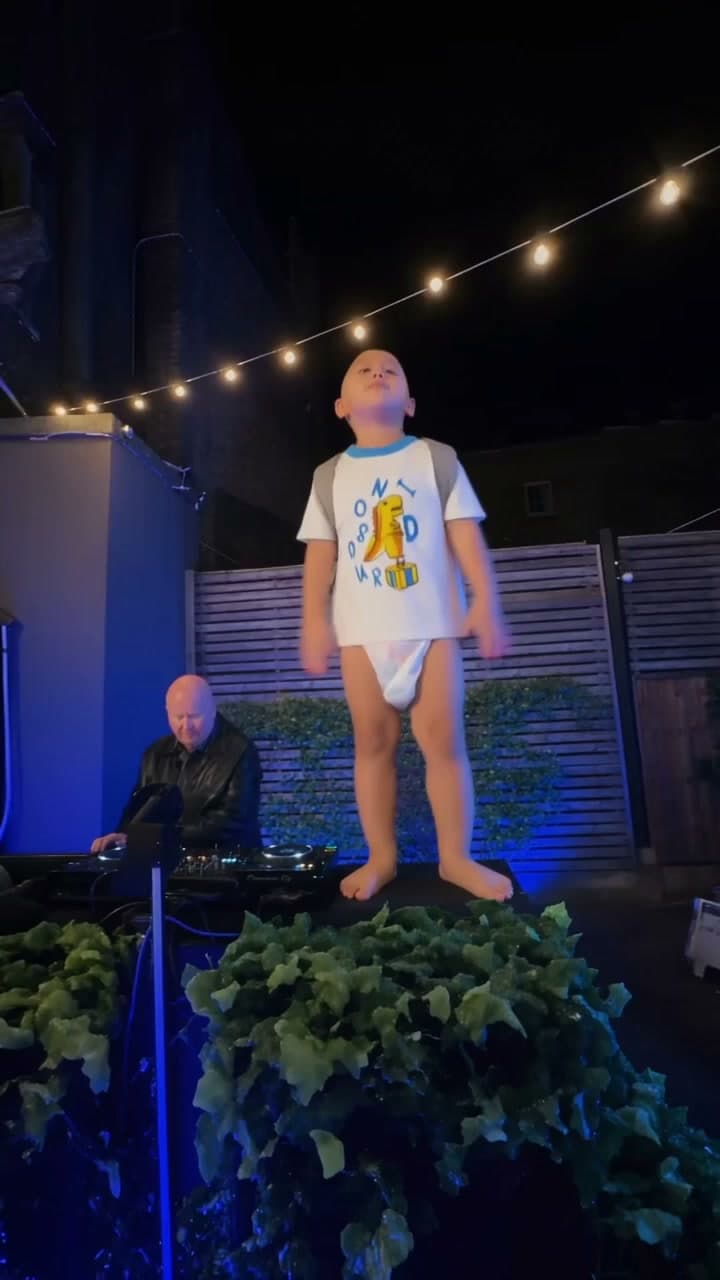
Peggy Mitchell Dance AI Video Template
Upload one clear portrait to become the central lead dancer in the prepared night courtyard dance scene. The template keeps the DJ, camera movement, choreography and original sound.
View the template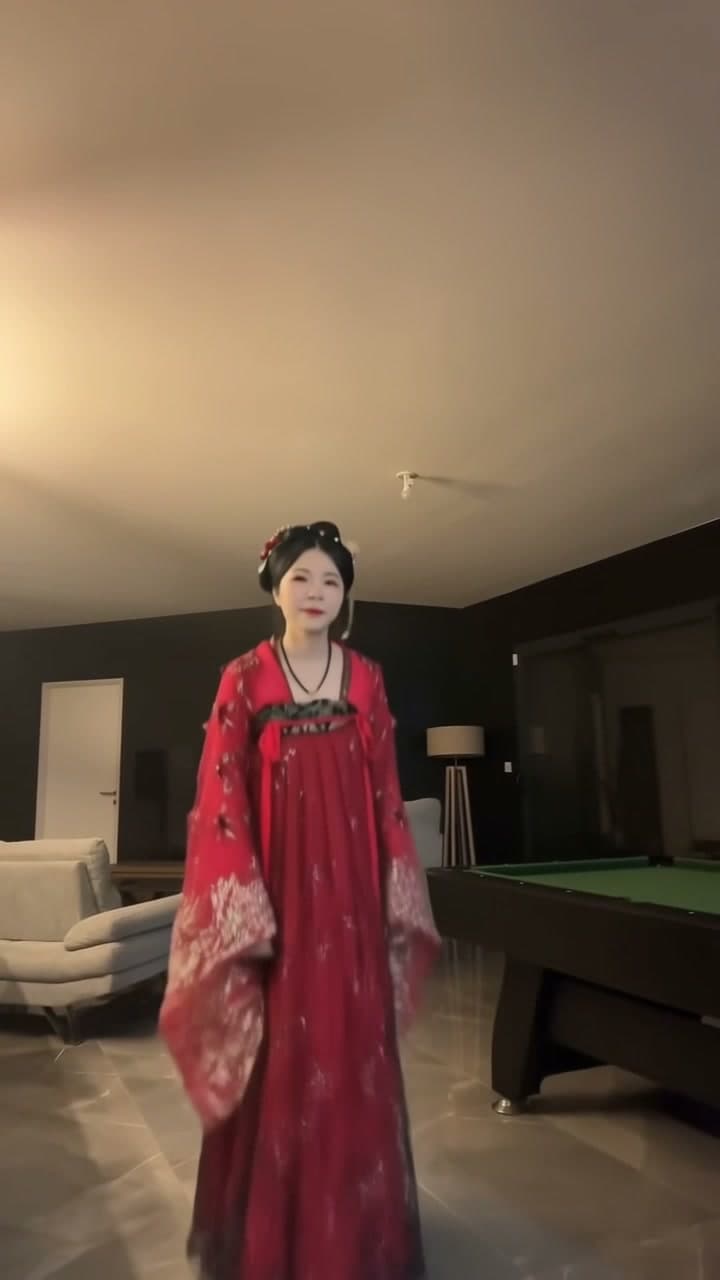
Toc Toc Dance AI
Step into the Toc Toc dance with your own look. Upload one full-body photo of yourself for a 10-second dance video with the original sound.
View the template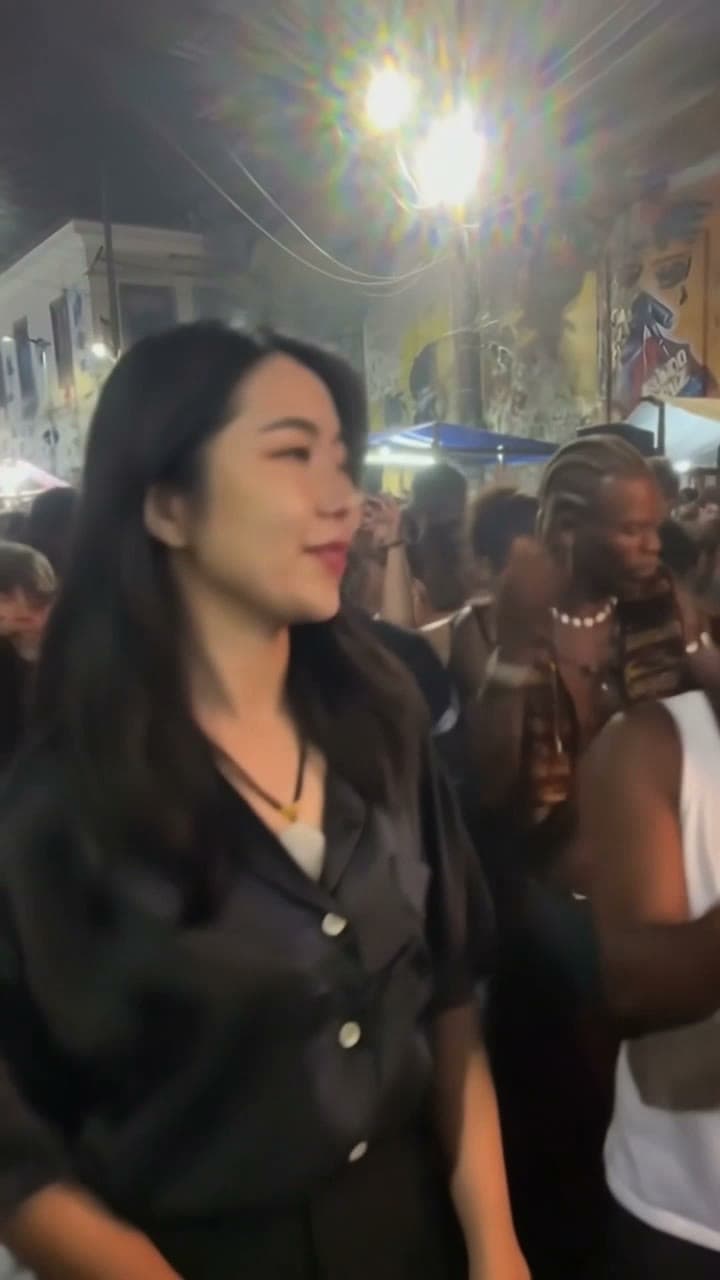
Charme Dance AI
Put one adult into the baile charme street dance. Upload one photo; the prepared clip supplies the dance and the original sound.
View the template