Practical guide
Toc Toc Dance Captions: 12 Funny Ideas for Your AI Video
Find 12 funny Toc Toc dance captions, three AI planning prompts and a simple 10-second story plan for your Jean Phil-inspired TikTok, Reel or Short.
In this guide
A meeting gets cancelled and you suddenly have 45 minutes to yourself. You close the notification, get up for a cup of tea, and do a small victory dance that would be difficult to explain if anyone walked in.
That's the sort of moment a Toc Toc dance caption is made for. Put a minor achievement above a very enthusiastic dancer and you've got a joke: this person has folded one fitted sheet and would now like to thank the academy.
Below are 12 captions to borrow for TikTok, Reels or Shorts. If you'd like to appear in the clip yourself, the Toc Toc Dance AI template works from one full-body adult photo. You can add the text afterwards in your usual editor.
A quick word about Jean Phil
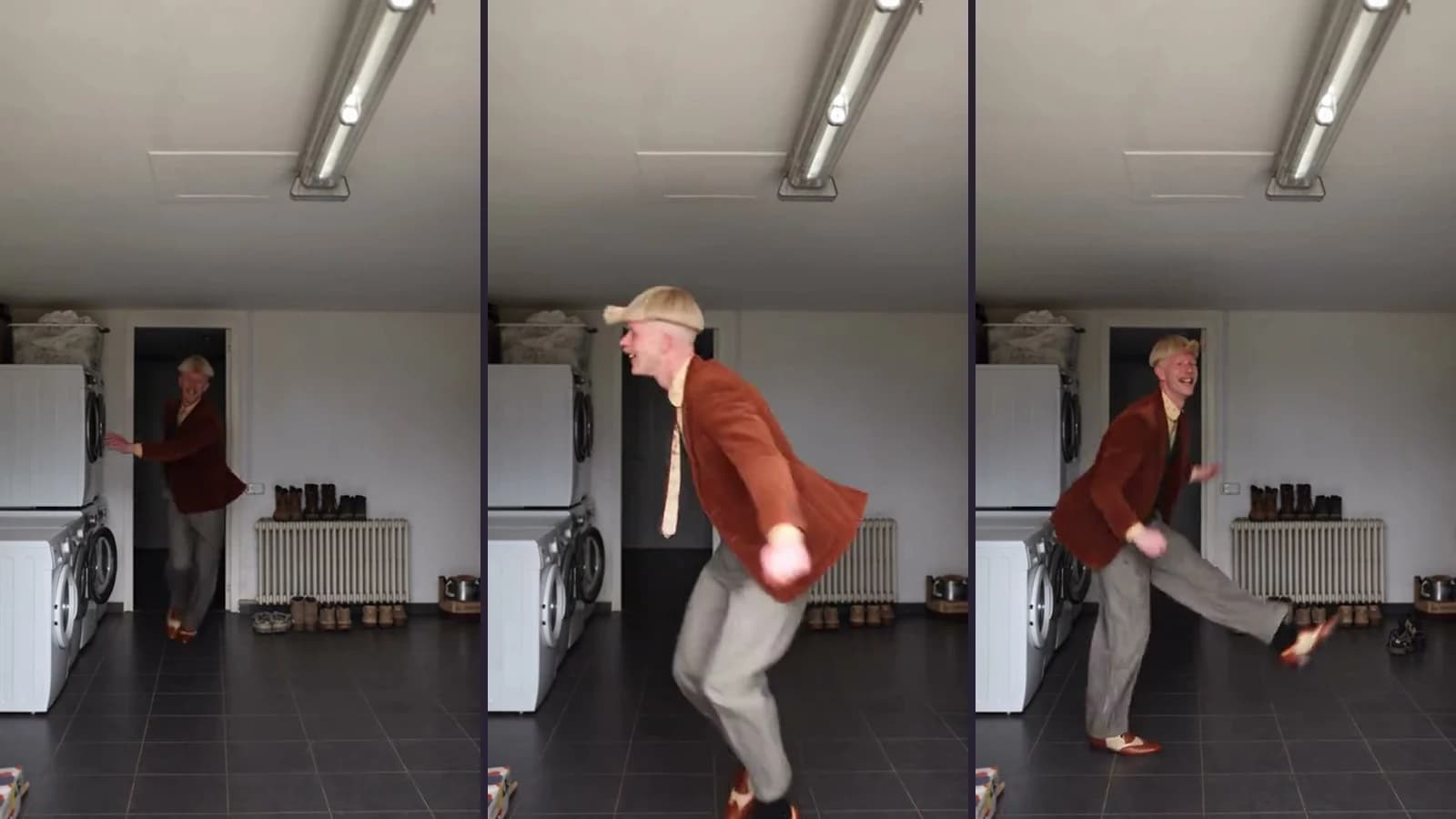
The blond bob and the dancing have sent plenty of people down the same rabbit hole. If you know it as the Jean Phil dance meme, the song, choreography and character have separate histories; our Toc Toc and Jean Phil article covers those and the source reporting.
For a caption, though, imagine what happened just before the dance. A promotion would explain the enthusiasm. Finding a forgotten £5 in a coat pocket would be funnier.
12 funny Toc Toc dance captions for unnecessarily big entrances
Use the bold line on the video and the second line in your post caption. Or take the setup and change it to something your friends will recognise.
For people who have completed one adult responsibility
- “Me after making a phone call without rehearsing it.” “Asked a follow-up question too. Please give me space.”
- “When the fitted sheet folds into an actual rectangle.” “I will be accepting interviews in the kitchen.”
- “Me after cancelling the subscription before it renews.” “Financial adviser. Available for bookings.”
A dressing gown would suit the fitted-sheet one. So would whatever you were wearing during the 20 minutes you spent trying to fold it.
For the office group chat and the seven-minute millionaire
- “When ‘quick call?’ becomes ‘never mind, sorted it’.” “No further questions. Ever.”
- “My salary arriving before the direct debits wake up.” “Please respect my seven minutes of wealth.”
- “My out-of-office reply, enjoying its first day of work.” “Finally hired someone with boundaries.”
The out-of-office one deserves a smart jacket. Your automated reply is now the only person at work who knows how to say no.
For outfits with absolutely nowhere to go
- “Bought the shoes. Invented an occasion.” “The occasion is putting the bins out.”
- “The dress code said casual. I heard special guest.” “It was a supermarket.”
- “When the delivery driver says ‘nice outfit’.” “My public has spoken.”
Keep the shoes visible for these. It would be a shame to hide the entire reason for the video under a text box.
For confidence that nobody remembers approving
- “When the card machine says APPROVED and I take it personally.” “Thank you. I've been working on myself.”
- “POV: the introvert has one prepared conversation topic.” “It's the air fryer. It will always be the air fryer.”
- “When they say ‘make yourself at home’ and I believe them.” “Lovely place. Where do we keep the snacks?”
Change “air fryer” to the subject your friends are tired of hearing about. They will know.
Make it about something that actually happened
“Friday mood” is fine, but “When the last meeting disappears from my calendar” gives us a reason for the celebration. The smaller the detail, the easier it is to picture.
You can also make the caption a little too honest. “Feeling confident” becomes “When the self-checkout needs an employee and I wait like the manager.” Nobody is impressed, except the person dancing.
Try reading your line to a friend. If you have to explain the situation first, put that detail in the caption.
Turn one caption into a 10-second mini-story
Here is how “Bought the shoes. Invented an occasion.” could play out over ten seconds. Save the destination for the end.
- Opening, roughly 0–2 seconds: “Bought the shoes. Invented an occasion.” Let viewers read the setup before they start following the dance. Keep the text away from the face and app controls.
- Middle, roughly 2–7 seconds: let the dancer behave as though this is opening night. Leave the shoes and knee lifts visible. Resist explaining where you are going just yet.
- Ending, roughly 7–10 seconds: reveal “Taking the bins out.” If the movement makes another text overlay too busy, put that reveal in the post caption instead.
Adjust the timing to your actual clip. Add the text in an editor or the posting app after downloading; the template does not add these captions for you.
For the cover: “BIG NIGHT. BIN NIGHT.” Check it on a phone before posting, especially if the app puts buttons over your text.
Three AI prompts for better dance-video ideas
If you want more options, these Toc Toc AI prompts give ChatGPT a specific joke to work on. They are for writing captions, not controlling the template or generating the video.
Prompt 1: make the joke specific to your life
Write six funny Toc Toc dance captions about tiny household victories: cancelling a subscription, finding the missing sock, or folding a fitted sheet. Each opening line must be under 12 words. Add a separate deadpan post caption that makes the celebration even less justified. Use concrete details. No “slay”, “vibes”, hashtags or explanations of why the joke is funny.
Other suitable achievements: finding the right lid for a food container, or remembering the password on the first attempt.
Prompt 2: plan the text without hiding the dance
Plan a 10-second vertical Toc Toc edit. Setup: “Bought the shoes. Invented an occasion.” Reveal: the occasion is taking the bins out. Suggest when to show each line and a short cover title. Keep the face and feet visible. Work with the existing living-room footage; do not invent a camera move, prop or new dance step. Adjust your timing suggestions to the actual clip.
Prompt 3: turn a single post into a small series
Give me five Toc Toc AI dance video ideas for “Unnecessary Entrances”. Start with a cancelled meeting and end with finding a parking space directly outside the shop. Make each celebration more absurdly proud than the last. Give each episode a hook under 10 words, a deadpan post caption and a question about the viewer’s own tiny victories. Use one adult dancer in the same living-room scene.
If the answers are bland, add a detail: “Make it sound like someone who saved £3 and now thinks they can retire.”
Make the AI dance video from one photo
The Toc Toc template puts one adult and their photographed outfit into a prepared living-room dance. It uses Kling 3.0 Omni and keeps the scene's original soundtrack. The complete video is 10 seconds, 9:16 at 720p, for 200 site credits, with no free generation preview. See Pricing for credit plans.
Choose a clear head-to-feet photo with your face, outfit and shoes visible. Use a picture of yourself or one you have permission to use. A selfie won't show the shoes you have just written an entire joke about. The AI dance photo guide has more advice on choosing a picture.
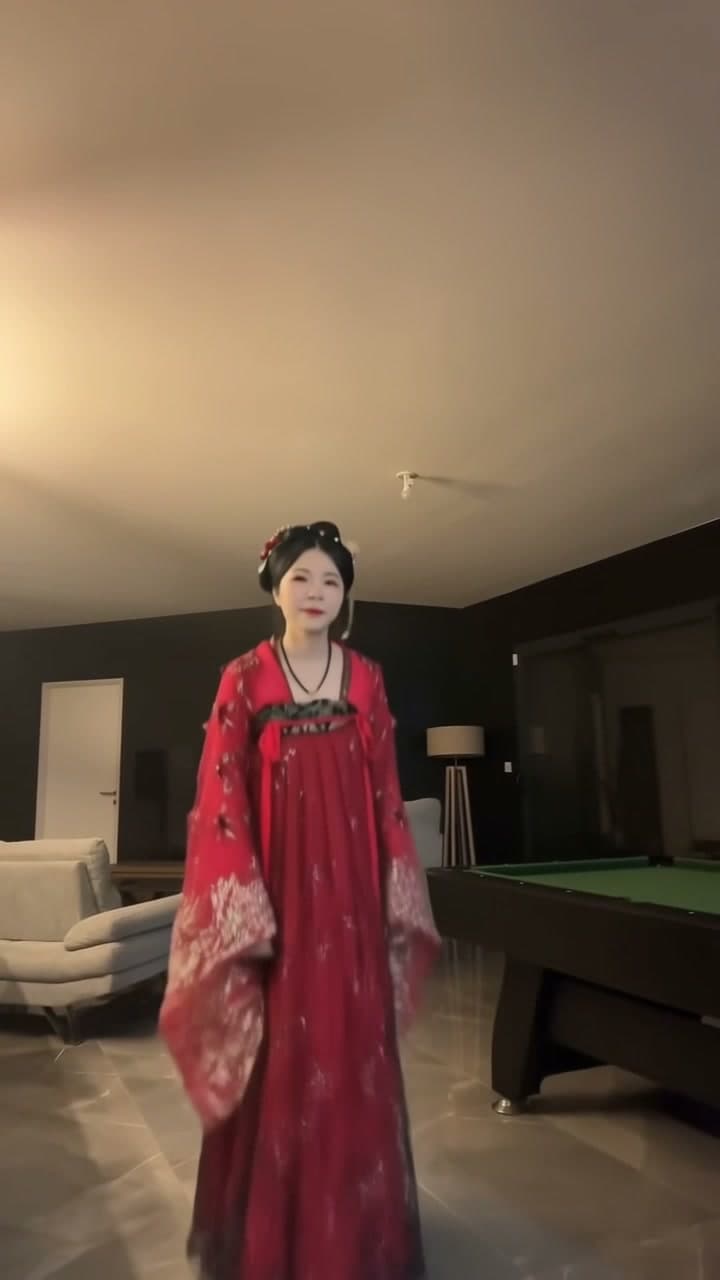
Watch the example before spending credits. The red-Hanfu sample used an earlier two-photo setup; the current flow accepts one photo. Likeness, clothing details and footwork can vary, so check the full result, especially during the turns.
Sign in, upload your photo and confirm the generation once. Follow the job in My videos, then download the result while it is available; successful videos are kept for seven days. Add your caption after reviewing the clip. You can try several jokes on the same download without generating it again.
Quick questions about captions, music and hashtags
What hashtags should I use for a Toc Toc dance video?
Start with #TocTocDance and, for an AI remix, #AIDance. #OutfitOfTheDay fits the new-shoes joke. Keep them relevant; a long list of unrelated tags offers viewers very little.
Can I use these captions for Reels and YouTube Shorts?
Yes. Check the text placement in each app and the music permissions for where you intend to post. Having the soundtrack in the downloaded file does not give you a licence for every platform or use.
Will an AI prompt change the Toc Toc dance or add my caption?
No. The template uses a fixed scene and soundtrack. Use the prompts to write your text, then add it in an editor. A caption about a meeting will not turn the living room into an office.
Should I call it a Jean Phil video?
“Jean Phil-inspired Toc Toc AI remix” describes the reference without passing it off as an official post. Label an AI remix accordingly, particularly when it could be mistaken for a filmed performance.
Watch the Toc Toc Dance AI preview if you fancy trying one. And if your only achievement today was cancelling a subscription, that will do. We have a caption for that.
From your photo to a scene