Practical guide
Two-Person AI Music Videos: Choose the Scene and Photo Roles
Compare Hotel Lobby, Alors On Danse and What You Want Me To Do AI music videos. Match each photo to its role and understand original sound versus custom music.
In this guide
A two-person AI music video starts with a clear decision: which prepared performance do you want, and who should occupy each role? Hotel Lobby, Alors On Danse and What You Want Me To Do all use two photos, but their role order is not interchangeable.
These templates place people into prepared scenes with the corresponding scene sound. They are not lyric writers, voice-cloning tools or complete custom music-video production services.
Hotel Lobby: left performer, then right performer
The Hotel Lobby template shows two performers in an orange scene beneath a hanging microphone. Photo 1 goes to the left performer and photo 2 to the right.
Choose two separate clear portraits, one person in each file. The currently checked 7-second option costs 140 credits at 20 credits per second; available duration choices and the displayed quote determine the final total. Read the Hotel Lobby photo guide for framing and trial details.
This is a useful choice when the duo itself is the idea: two friends with contrasting personalities or two fictional everyday roles. Keep the premise understandable without claiming that the people really recorded the performance.
Alors On Danse: keyboard, then laptop-side performer
The Alors On Danse template uses photo 1 for the left keyboard performer and photo 2 for the right performer beside the laptop. The prepared studio action supplies the making-of-style musical scene.
Use two separate portraits rather than a photograph of a keyboard or a room. The current template is 10 seconds at 200 credits with original sound and no free preview. A two-photo contract means two identities, not an instruction to create a new arrangement or replace the song.
Choose this scene when the visual relationship between the performers is central to the joke or story. Keep captions short enough that the keyboard and the second person remain visible.
What You Want Me To Do: singer first, ukulele second
The What You Want Me To Do template reverses the left-first assumption: photo 1 replaces the closer singer on the right; photo 2 replaces the ukulele player on the left.
Use two different people, one clear portrait each. The output is about 10 seconds, 9:16 and 720p for 200 site credits, with the original kitchen soundtrack. It has no free preview.
The kitchen performance story explains the reference. For generation, the role labels on the template page are the important source: do not copy Hotel Lobby's upload order into this scene.
Prepare two identities without mixing the roles
Use photos with visible faces, even light and minimal obstruction. Similar image quality makes it easier to judge the pair. Do not upload one crowded group photo twice or use two views of the same person when the template calls for two different identities.
Choose images you are authorised to use and get the participants' permission. Decide the roles before uploading, then check the thumbnails against the labels. This small check is more useful than discovering after generation that the singer and instrumentalist were assigned backwards.
Generate, follow the task and download
Sign in, confirm the two inputs and consent, then read the quote beside Generate. Submit once and wait for the accepted record in My videos. A pending task is a reason to check progress, not to purchase the same generation again.
If the balance is insufficient, use Pricing and return in the same browser and account. Review the draft again before generating. New successful outputs are available for seven days; download before the expiry shown in your task.
Hotel Lobby can offer the site's single eligible-template trial to a qualifying account before its first successful purchase. The other two scenes described here do not offer a free preview. A subscription supplies credits, not a universal free version of every template.
Original sound does not mean custom vocals
Watch and listen to the whole result. Check each person's face, their interaction and the sound through the ending. The prepared audio is part of the scene: uploading a portrait does not make that person sing new lyrics or clear music rights for every destination.
If you need an original song or a longer music video, treat that as a separate production task. For these short remakes, choose a clear caption, retain the important framing and disclose realistic AI edits appropriately when posting.
Check AI duet photo order before choosing a scene
Turning two photos into one music video sounds simple, but the role order changes with the template. A two-person AI music video may put the first upload on the left, or assign it to a singer on the right. Follow the named roles on the page rather than assuming the first portrait always means the left side.
An original audio AI video keeps the prepared scene's sound. It does not use the portraits to compose music or clone voices. Choose the AI music video sample you actually want, confirm the AI duet photo order, and check that both faces remain visible in the final frame and crop.
From your photo to a scene
Try a scene from this guide
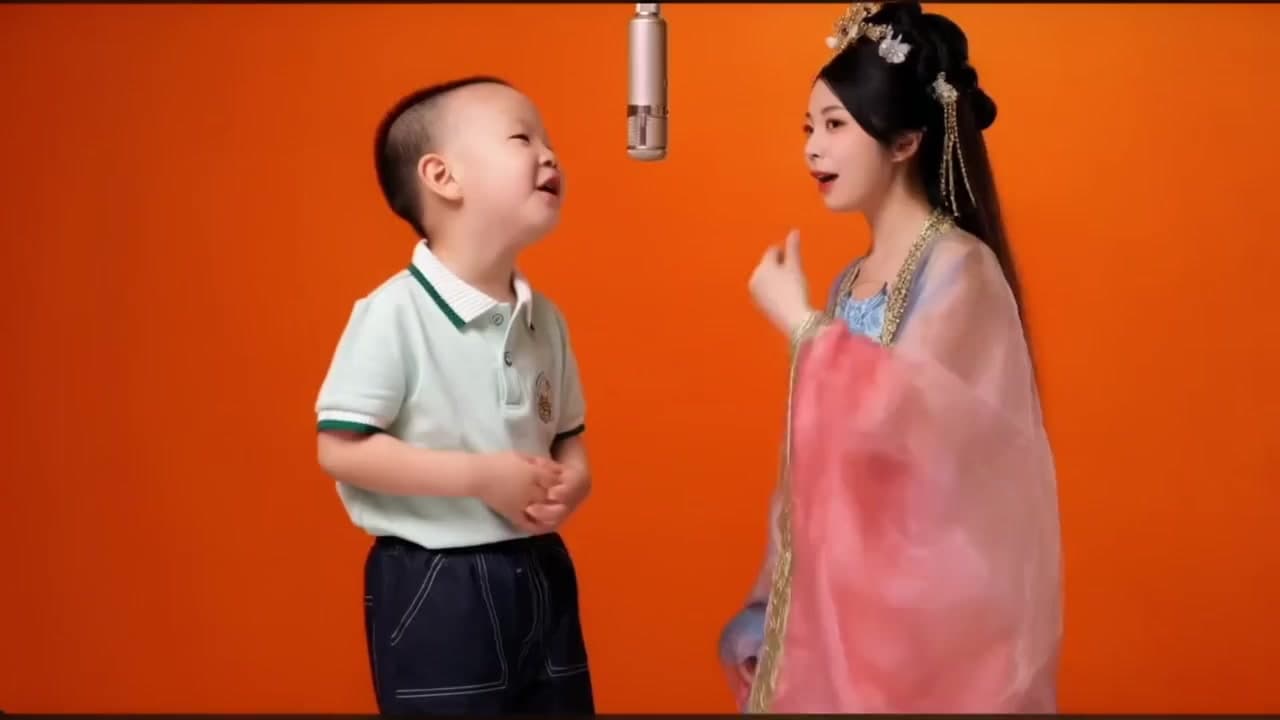
Hotel Lobby AI Template
Make a Hotel Lobby AI rap video from two portraits in the orange hanging-microphone scene. Choose one photo for each performer.
View the template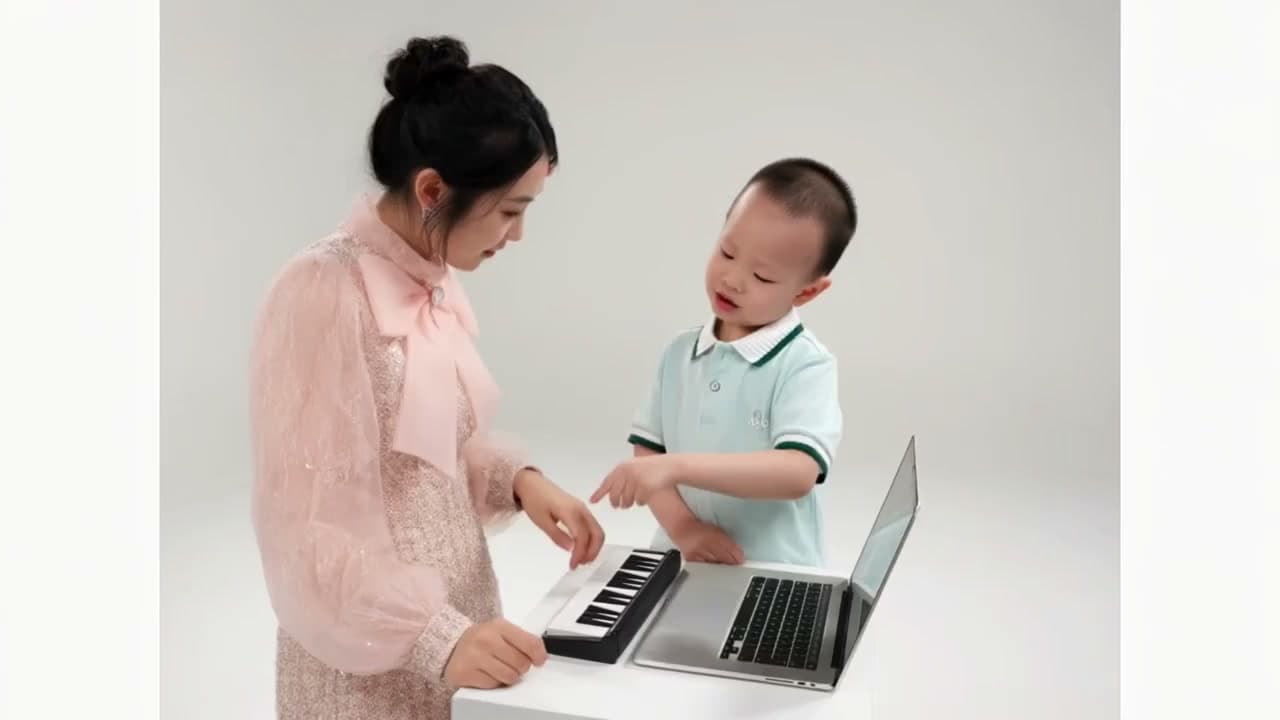
Alors On Danse AI Meme Video Maker
Put two people at the keyboard and laptop in the Alors On Danse AI making-of meme. Upload two portraits to replace both performers while keeping the studio action and original sound.
View the template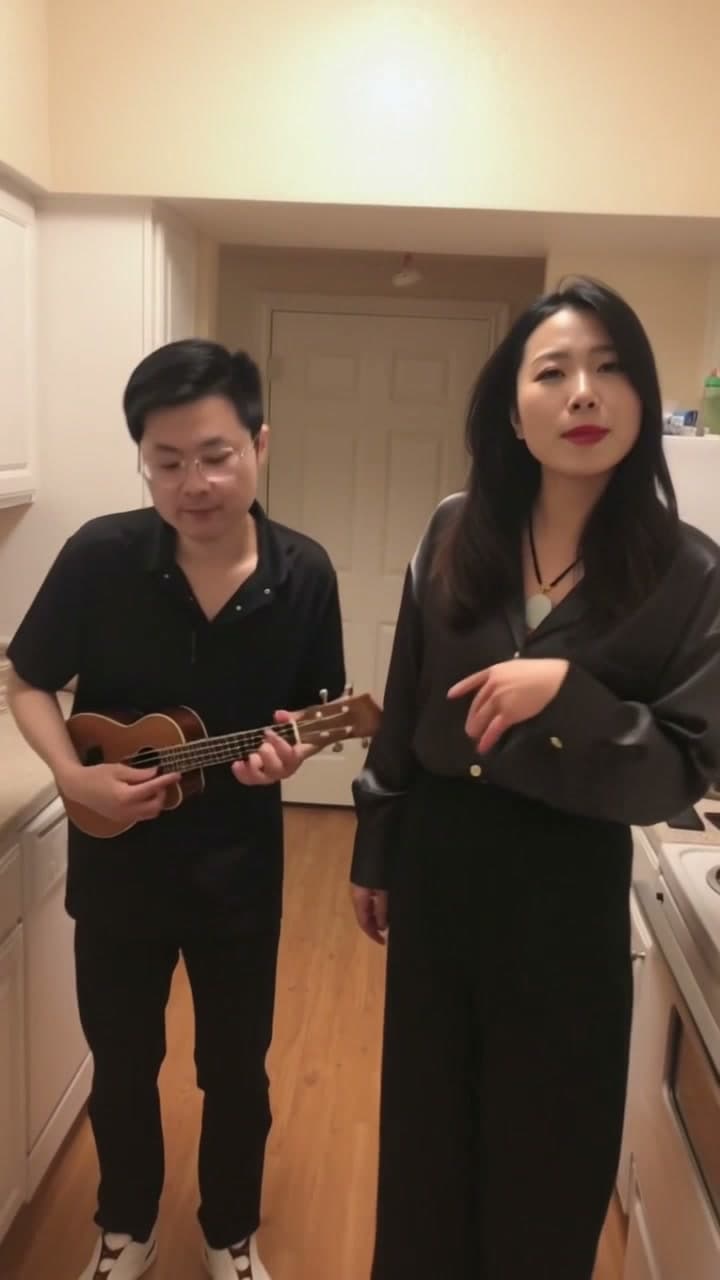
What You Want Me To Do AI
Put two different people into the What You Want Me To Do kitchen duet. One photo becomes the closer singer on the right. A second photo becomes the person playing ukulele on the left.
View the template